 Airpods & Earbuds (Unboxed)
  Camera & Lenses (Unboxed)
  Headphones (Unboxed)
  Laptops (Unboxed)
  MacBooks (Unboxed)
  Mobile Accessories (Unboxed)
  Monitors (Unboxed)
  Wearables (Unboxed)
  Laptops (Grade A)
  Monitors (Grade A)
  Smartphone (Grade A)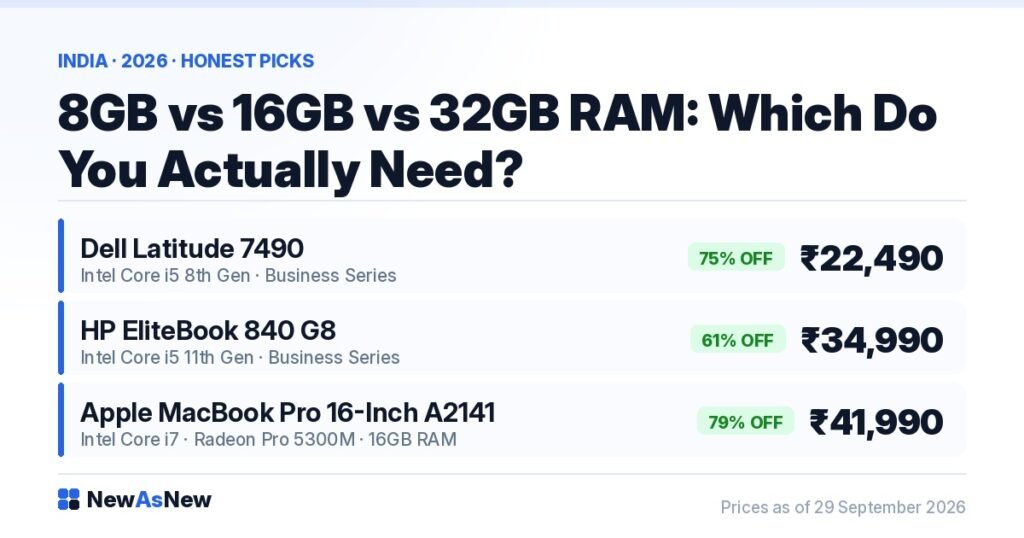
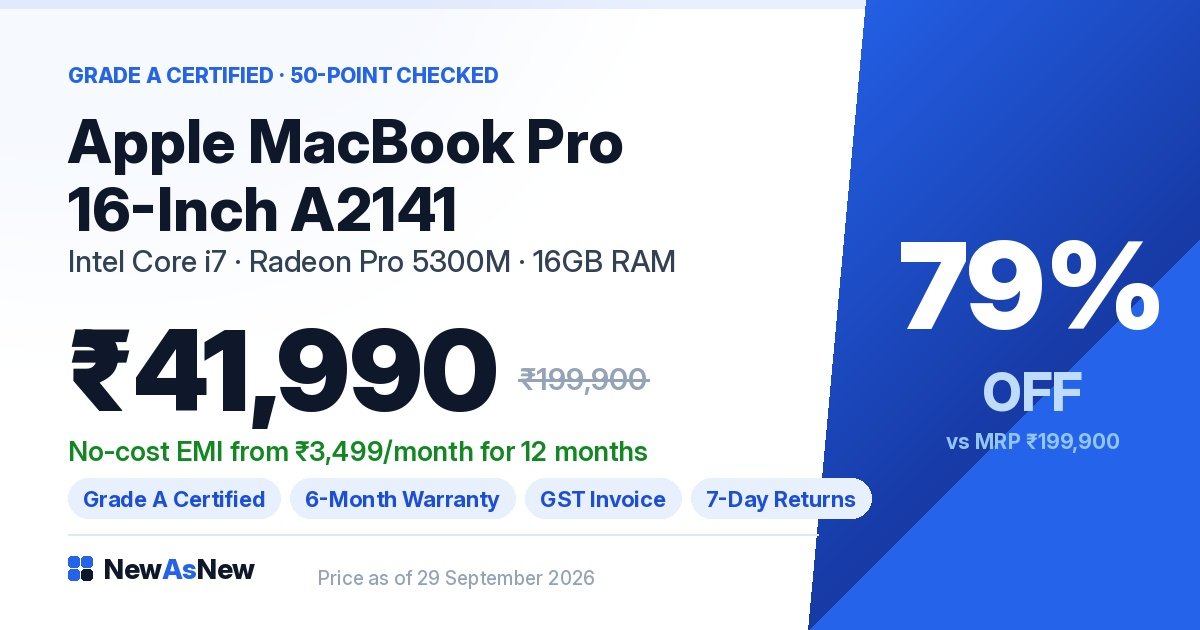
Short answer: 16GB is the sensible default in 2026. 8GB still works for browsing, Office, classes and video calls, but it is genuinely tight the moment you keep twenty tabs open alongside Teams. 32GB only earns its price if you run virtual machines, large datasets or heavy 4K editing. For 16GB confirmed on the spec sheet, the Apple MacBook Pro 16-inch A2141 (Core i7, 16GB RAM, 512GB SSD) is ₹41,990 at NewAsNew.
Prices are live as of 29 September 2026 and move with stock — check the linked product page for today’s exact price.
What “Excellent” battery health means here: above 80% of original design capacity on a laptop, and above 85% on a smartphone. The thresholds differ because the two age differently — a laptop spends most of its life on mains power, a phone is cycled every day. Anything below that is not listed; there is no lower battery tier. The measured figure for your exact unit is printed on its product page.
RAM is the spec people argue about most and understand least. Salespeople use it to upsell, forum posts use it to win arguments, and buyers end up either underspending and regretting it or paying for memory they will never touch.
What does RAM actually do?
RAM is your laptop’s working desk. Everything currently open — apps, browser tabs, the document you are editing, background services — sits on that desk. The processor is the person working at it.
That analogy settles most confusion. A bigger desk does not make the worker faster; it means the worker stops putting things away to make room. So more RAM does not speed up a single task — it stops the machine grinding when many things are open at once.
When the desk is full, Windows shuffles data between RAM and the SSD. That shuffle is the stutter you feel: the tab that takes a second to redraw, the app that hangs when you alt-tab. Not the processor struggling — the machine out of room.
Is 8GB enough in 2026?
Yes for a narrow set of uses, and honestly tighter than it was three years ago — browsers, Teams, Zoom and Windows itself all want more memory each year. 8GB is fine if your day is a handful of tabs, Microsoft Office, email, WhatsApp Web, one video call at a time, classes and streaming. Millions of people work like that and never hit a wall.
It starts hurting when a large number of tabs are open and Teams is running and Excel and a PDF sit behind them. That is not exotic — it is an ordinary office day, which is exactly why we recommend 16GB to most buyers rather than saving the money.
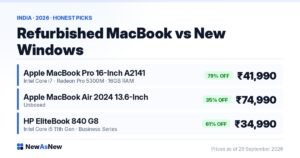
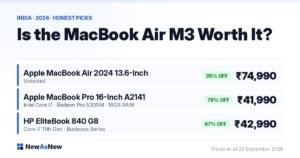
There is one case for buying 8GB deliberately. Apple silicon handles memory pressure better than a Windows machine with the same figure, and the Apple MacBook Air 2024 13.6-inch (M3, 8GB RAM, 256GB SSD) at ₹74,990 Unboxed — 35% off its ₹1,14,990 MRP — is a genuinely good machine for light, single-focus work. But its memory is soldered. 8GB is 8GB for the life of that laptop.
Why 16GB is the right default
16GB is the point at which you stop thinking about memory. Tabs, Teams, Excel, a code editor, a Docker container, a 1080p timeline in Premiere or DaVinci Resolve — 16GB absorbs an ordinary heavy day without complaint. It also ages best: a 16GB laptop bought today will still feel normal in 2029, while an 8GB one will feel constrained sooner, because software keeps getting hungrier.
For 16GB confirmed rather than inferred, the Apple MacBook Pro 16-inch A2141 (Core i7, 16GB RAM, 512GB SSD) is ₹41,990, 79% off its ₹1,99,900 launch price.
On our Windows business laptops memory varies unit by unit, because these are ex-corporate machines ordered in different configurations by different IT departments. That is why the tested configuration is published on each product page rather than printed once across the category.
Does anyone actually need 32GB?
Some people do, and far fewer than the internet implies. We are not going to talk you into it.
32GB is genuinely useful for virtual machines, since a second operating system needs its own memory allocation. It helps with large datasets in Python or R that must sit in memory, with 4K editing carrying multiple effects layers, and with serious 3D rendering.
Outside those cases, 32GB does nothing you will notice. It will not make Chrome faster, it will not make Windows boot quicker, and it will not improve gaming in any way you can feel. If you cannot name the application that needs it, you do not need it.
There is a better use for that money. RAM prices rose sharply in 2026 — we explain why in why laptop prices are rising in India in 2026. The same rupees in a newer processor generation, a larger SSD or a healthier battery will improve your day more than doubling memory you will not fill.
| RAM | Handles comfortably | Struggles with | Verdict for 2026 |
|---|---|---|---|
| 8GB | Office, email, classes, one video call, streaming, light photo edits | Many tabs plus Teams plus Excel together; video editing; VMs | Workable but tight. Only if the budget will not stretch. |
| 16GB | Heavy multitasking, coding with containers, 1080p editing, CAD and design | Multiple simultaneous VMs, very large datasets, heavy 4K effects | The default. What we recommend to most buyers. |
| 32GB | Virtual machines, large in-memory datasets, 4K effects stacks, 3D rendering | Nothing relevant — and nothing for ordinary use either | Only if you can name the application that needs it. |
How to find out how much RAM you actually use
You do not have to guess. On Windows, open everything you would have open on a busy day, then press Ctrl+Shift+Esc, click the Performance tab and select Memory.
Read two numbers: how much is in use, and the figure labelled Committed. If in-use memory sits comfortably below your total, your current amount is fine. If it is pressed against the ceiling and Committed regularly exceeds your installed RAM, the machine is leaning on the SSD to cope — that is your stutter, and more memory will fix it.
On a Mac, open Activity Monitor and check the Memory Pressure graph. Green means room; sustained yellow or red means you are short. This test beats any recommendation, including ours, because it measures your habits rather than an average buyer’s.
Can you upgrade RAM later?
It depends on the machine. Many ex-corporate Dell Latitude and HP EliteBook laptops use standard removable SODIMM modules and are built to be serviced — see why ex-corporate laptops are built better. Modern MacBooks and many thin-and-light Windows models solder memory to the board, with no upgrade path at any price.
So check the model before you assume you will add RAM later, and read upgrade RAM and SSD yourself, or buy a higher-spec refurbished laptop? — at 2026 memory prices the answer has changed. On generations and speeds, DDR4 vs DDR5 and laptop RAM speed explained cover what actually changes.
Who should not buy more RAM
- If you only use Office, email, classes and streaming, do not pay for 32GB. You will never reach it. Put the money into better tested battery health — the spec you feel every day.
- Take the newer platform over the bigger memory figure. Windows 11 requires an 8th Gen Intel processor or newer, so a 6th or 7th Gen laptop is not eligible however much memory it carries. The Latitude 5400 and 7490 we stock are 8th Gen and do qualify; older Latitudes do not. See our Windows 11 eligibility guide.
- If the laptop feels slow and has a mechanical hard drive, RAM is not your problem. Fix the drive first — see SSD vs HDD: why it matters more than the processor.
- If you need 64GB or more, buy new. Those configurations are rare in ex-corporate supply and we would rather say so than sell you a compromise.
Laptops in stock right now
- Dell Latitude 7490 (Core i5, 8th Gen) — Grade A Certified — ₹22,490, 75% off MRP ₹88,999. Windows 11 eligible; serviceable memory on this chassis.
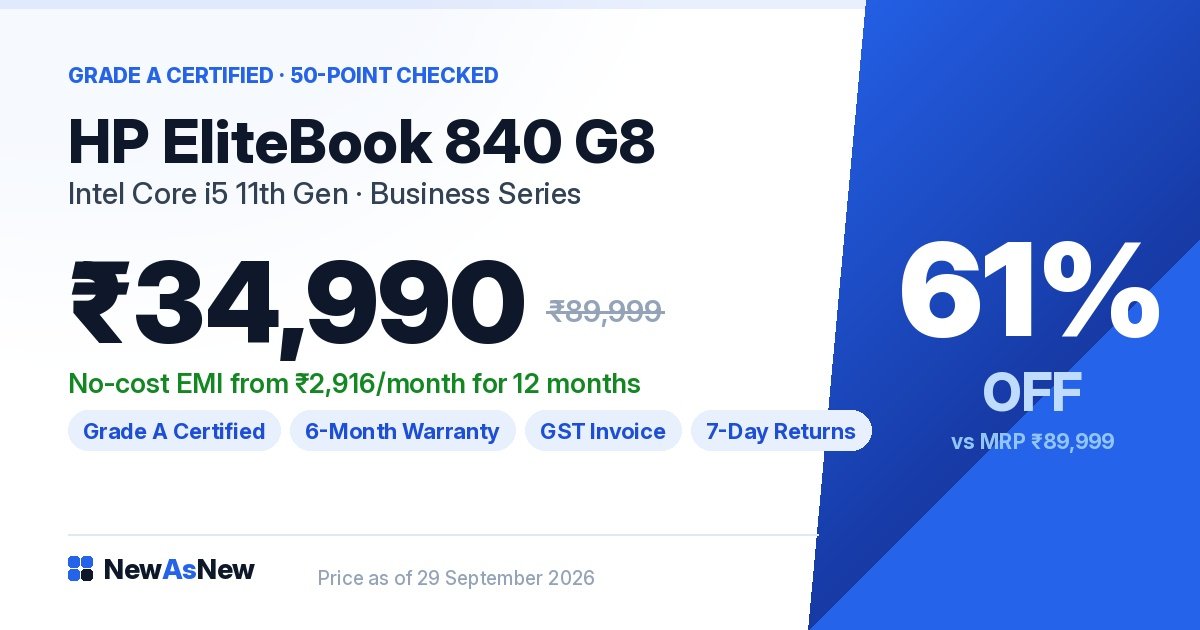
- HP EliteBook 840 G8 (Core i5, 11th Gen) — Grade A Certified — ₹34,990, 61% off MRP ₹89,999. Newer platform, faster memory standard.
- Apple MacBook Pro 16-inch A2141 (Core i7, 16GB, 512GB SSD) — ₹41,990, 79% off MRP ₹1,99,900. Confirmed 16GB.
- Apple MacBook Air 2024 13.6-inch (M3, 8GB, 256GB SSD) — Unboxed — ₹74,990, 35% off MRP ₹1,14,990. Confirmed 8GB, soldered.
Each ships with a written warranty, a GST invoice, 7-day returns and EMI. If the configuration you want is not listed, we do not have it today.
Frequently asked questions
How much RAM do I need in a laptop in 2026?
16GB for most people. It handles heavy multitasking — many tabs alongside Teams, Office, a code editor or 1080p video editing — without the machine leaning on the SSD. 8GB remains workable for Office, email, classes, video calls and streaming, but it is tight if you multitask heavily. 32GB is only worth the money for virtual machines, large in-memory datasets or heavy 4K editing.
Is 8GB of RAM enough in 2026?
For light, focused use, yes — a modest number of tabs, Microsoft Office, email, one video call at a time, classes and streaming all run fine. It becomes genuinely tight when twenty or more tabs are open while Teams, Excel and a PDF also run, which is an ordinary office day rather than an extreme workload. If your budget reaches 16GB, that is the better buy.
Do I need 32GB of RAM?
Only if you can name the application that requires it. Virtual machines, large datasets in Python or R, 4K editing with multiple effects layers and serious 3D rendering genuinely benefit. For browsing, Office, coding, gaming or design at normal scale, 32GB sits unused — the money does more in a newer processor generation or a healthier battery.
How do I check how much RAM I am actually using?
On Windows, open everything you would normally have open on a busy day, then press Ctrl+Shift+Esc, go to the Performance tab and select Memory. If in-use memory is pressed against your total and the Committed figure regularly exceeds your installed RAM, you need more. On a Mac, open Activity Monitor and check the Memory Pressure graph — sustained yellow or red means you are short.
Can I upgrade RAM in a refurbished laptop later?
Often yes on ex-corporate Dell Latitude and HP EliteBook models, which typically use standard removable SODIMM modules and are built to be serviced. No on modern MacBooks and many thin-and-light Windows laptops, where memory is soldered to the board. RAM prices rose through 2026, so buying the right amount up front is often cheaper than adding it later.
Does more RAM make a laptop faster?
Not at individual tasks — that is the processor’s job. More RAM stops the laptop slowing down when many things are open at once. If your machine stutters when you switch between apps or reload a tab you left open, that is a memory limit and more RAM will fix it. If a single task is slow, more RAM will not help.
Browse and ask
If you know your number now, start with best refurbished laptops under ₹25,000 or the best refurbished laptops for programming and coding. Still weighing storage? Read 256GB vs 512GB vs 1TB: which SSD size do you need.
Want the exact memory, SSD size and battery health on a specific unit before you spend anything? Message us on WhatsApp with the model name. We will send the tested numbers on the actual laptop in stock — or tell you plainly that we do not have one we would sell you.
Written by A Pandey, founder of NewAsNew (NextG Serve Pvt. Ltd., New Delhi). Every laptop we list is inspected in-house against a 50-point check and its real configuration is published rather than assumed. Not every product deserves to be sold. Read why we started NewAsNew.