 Airpods & Earbuds (Unboxed)
  Camera & Lenses (Unboxed)
  Headphones (Unboxed)
  Laptops (Unboxed)
  MacBooks (Unboxed)
  Mobile Accessories (Unboxed)
  Monitors (Unboxed)
  Wearables (Unboxed)
  Laptops (Grade A)
  Monitors (Grade A)
  Smartphone (Grade A)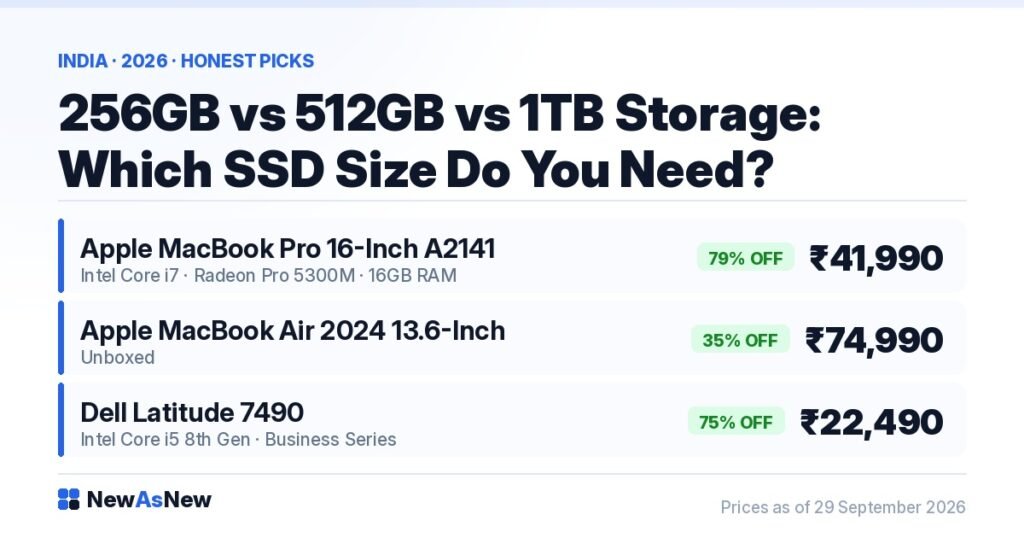
Short answer: For most people in 2026, 512GB is the right amount of laptop storage. 256GB works only if you genuinely live in Google Drive or OneDrive, and 1TB matters only if you keep video projects, RAW photos or virtual machines on the machine itself. If you want a confirmed 512GB unit today, the Apple MacBook Pro 16-inch A2141 (Core i7, 16GB RAM, 512GB SSD) is ₹41,990 at NewAsNew, down from a ₹1,99,900 launch price.
Prices are live as of 29 September 2026 and move with stock — check the linked product page for today’s exact price.
Storage is the spec people regret most. A slow processor you notice on day one and adapt to. A full drive you notice in month eight, when Windows refuses an update and there is nothing left to delete — and on thin-and-light models and every modern MacBook, the drive cannot be swapped.
What actually eats your SSD space?
We will not give you a fake precise figure for how much Windows uses — it varies by build, by update history and by reserved recovery space, and it grows over the years you own the laptop. What is reliable is the shape of it.
| What it is | How much room it wants | Can you move it off the laptop? |
|---|---|---|
| Windows 11 or macOS, plus updates and recovery files | A meaningful chunk of a 256GB drive, and it grows over time | No |
| Office, Chrome, Teams, plus design or editing software and its caches | Small individually, large once creative apps are involved | No, though caches can be redirected |
| Documents, spreadsheets, PDFs, a full work archive | Modest. Almost never the problem | Yes, easily |
| Photos synced from your phone | Grows every month, forever | Yes — cloud or external drive |
| Video files and edit projects | The biggest consumer by far | Yes — external SSD |
| PC games | Very large. A few titles can fill 512GB | Yes, with a speed penalty |
Two things follow. The operating system takes a fixed bite that is a far bigger share of 256GB than of 512GB. And almost everything that gets genuinely huge is exactly what you can keep elsewhere, if you are disciplined.
Is 256GB enough in 2026?
Yes, for a specific person: files in Google Drive, OneDrive or iCloud, no downloaded movies, no PC games, and the discipline to empty the Downloads folder. After Windows and your apps, 256GB leaves you comfortable — not generous — and only as long as nothing unexpected arrives.
It is still a sensible buy when the machine is worth it at that configuration. The Apple MacBook Air 2024 13.6-inch (M3, 8GB RAM, 256GB SSD) is ₹74,990 Unboxed, 35% off its ₹1,14,990 MRP. That drive can never be upgraded, so buy it knowing you are committing to a cloud-first life.
Why 512GB is the sensible default
512GB is where storage stops being something you think about. You can keep a couple of years of photos locally and in the cloud, hold two or three games, and take on a video project without first deleting something. It is also the configuration that ages best.
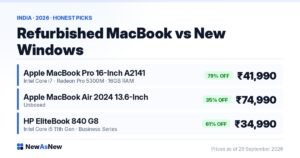
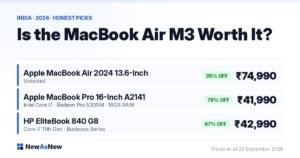
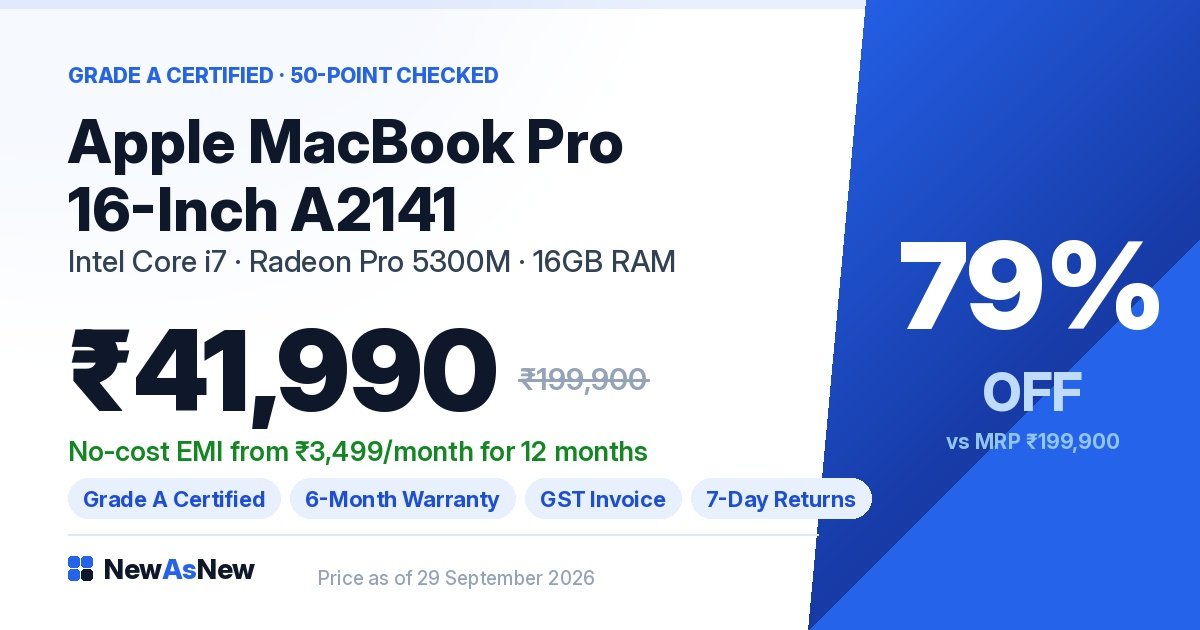
For a confirmed 512GB unit, the Apple MacBook Pro 16-inch A2141 (Core i7, 16GB RAM, 512GB SSD, Radeon Pro 5300M) is ₹41,990 — 79% off its ₹1,99,900 launch price.
On our Windows business laptops the SSD size varies unit by unit, because these are ex-corporate machines ordered in different configurations by different IT departments. That is why the tested configuration is published on each product page rather than printed once across the category.
Who actually needs 1TB?
A smaller group than the internet suggests: you edit video and keep footage on the machine, shoot RAW in volume, run virtual machines, or keep a large local game library. Otherwise 1TB is money better spent on RAM or a newer processor generation — the same mistake as buying 32GB of memory for browsing, which we cover in 8GB vs 16GB vs 32GB RAM: which do you actually need. A fast external USB-C SSD holds an archive perfectly well.
| Capacity | Right for | Wrong for | Verdict |
|---|---|---|---|
| 256GB | Cloud-first students, Office and browser users, second machines | Anyone storing photos, video or games locally | Fine with discipline. Tight without it. |
| 512GB | Almost everyone — students, freelancers, WFH, coding, light editing | Heavy video archives, large VM labs | The default. Choose this unless you have a reason not to. |
| 1TB and above | Video editors, RAW photographers, VM and dataset work | General use — you will not fill it | Buy only if you can name the files that will fill it. |
How healthy is the SSD in a used laptop?
Capacity is half the question. On a pre-owned laptop you also want to know how much life the drive has left, and almost nobody thinks to ask.
SSDs wear out by writing, not by age. Every drive has a rated endurance figure called TBW — terabytes written — which is how much data the manufacturer expects it to survive. The drive records its own wear as SMART data, and you can read it.
On Windows, install the free tool CrystalDiskInfo and open it. It shows Health Status, Power On Hours and total host writes. “Good”, with writes well inside the TBW rating, means years of life remain. “Caution” means walk away or insist on a replacement. This is one of the checks in our own inspection — see how our 50-point quality check actually works — and it takes two minutes on any laptop from any seller.
Can you upgrade the SSD later?
Sometimes. Most ex-corporate Dell Latitude and HP EliteBook laptops are built to be opened and serviced — a large part of why they last, as we cover in why ex-corporate laptops are built better — and many take a standard M.2 SSD. MacBooks are the opposite: storage is soldered and fixed for life.
Before you bank on upgrading later, read upgrade RAM and SSD yourself, or buy a higher-spec refurbished laptop? SSD prices rose sharply this year — see why SSD prices jumped in 2026 — so buying the capacity you need up front is often cheaper than adding it in six months.
One thing that is not a judgement call: never buy an HDD
If a laptop in 2026 has a mechanical hard drive as its main disk, its capacity is irrelevant — a slow drive makes a fast processor feel broken. Every laptop NewAsNew lists ships with an SSD. See SSD vs HDD: why it matters more than the processor and NVMe vs SATA SSD in a laptop.
Who should not buy on storage size at all
- If your budget is tight, do not stretch for 1TB. A 512GB laptop with 16GB of RAM beats a 1TB laptop with 8GB.
- If you only need Office, email, classes and YouTube, do not pay extra for storage. 256GB covers that life; put the saving toward a healthier battery.
- If you need 2TB or more internally, buy new. Those configurations are rare in ex-corporate supply, and we will not pretend otherwise.
- Take the newer platform over the bigger drive. Windows 11 requires an 8th Gen Intel processor or newer. A 6th or 7th Gen laptop is not eligible whatever its drive size. The Latitude 5400 and 7490 we stock are 8th Gen and do qualify; older Latitudes do not. See our Windows 11 eligibility guide.
Laptops in stock right now
- Dell Latitude 7490 (Core i5, 8th Gen) — Grade A Certified — ₹22,490, 75% off MRP ₹88,999. Windows 11 eligible; tested SSD size on the listing.
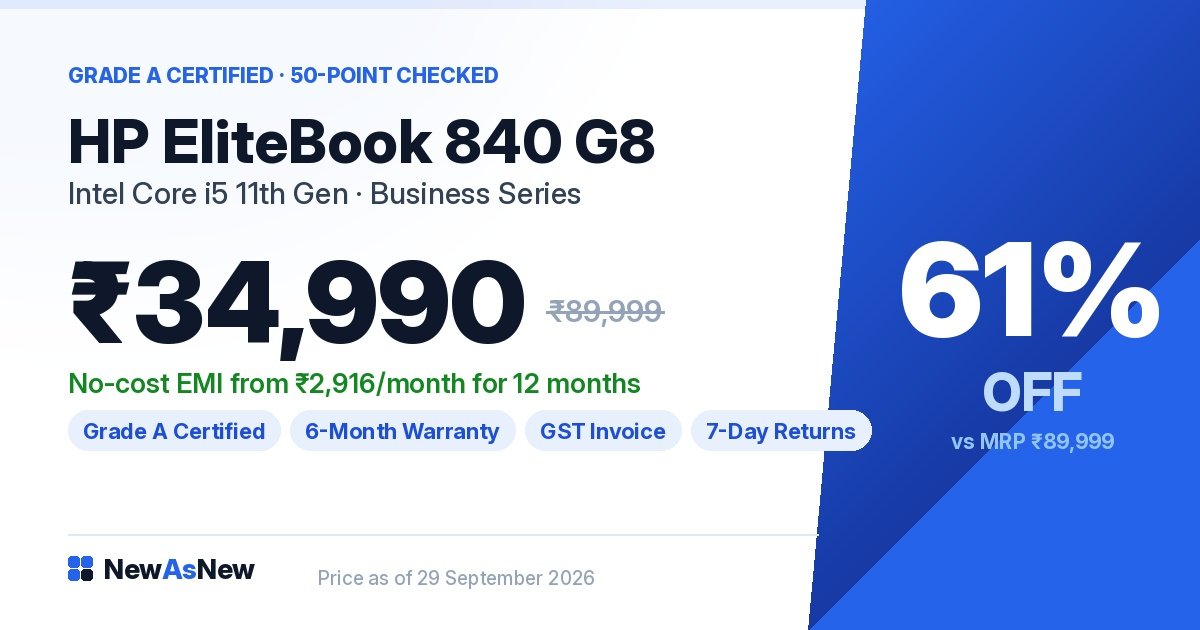
- HP EliteBook 840 G8 (Core i5, 11th Gen) — Grade A Certified — ₹34,990, 61% off MRP ₹89,999. Newer platform, NVMe storage.
- Apple MacBook Pro 16-inch A2141 (Core i7, 16GB, 512GB SSD) — ₹41,990, 79% off MRP ₹1,99,900. Confirmed 512GB, not upgradeable.
- Apple MacBook Air 2024 13.6-inch (M3, 8GB, 256GB SSD) — Unboxed — ₹74,990, 35% off MRP ₹1,14,990. For cloud-first buyers only.
Each ships with a written warranty, a GST invoice, 7-day returns and EMI. If a model is not listed above, it is not in stock today.
Frequently asked questions
How much SSD storage do I need in a laptop?
512GB for most people. It holds Windows or macOS, your apps, a few years of documents and photos, and a couple of games or a video project without you managing space. Choose 256GB only if you keep files in the cloud and store no video or games locally. Choose 1TB only if you edit video, shoot RAW in volume, or run virtual machines.
Is a 256GB SSD enough in 2026?
It is enough for browsing, Office, online classes, video calls and streaming, provided your files live in Google Drive, OneDrive or iCloud. It is not enough if you sync years of phone photos locally, install PC games, or keep video projects on the machine — the operating system takes a much larger share of 256GB than of 512GB, so headroom disappears faster than people expect.
How do I check how much life is left in a used laptop’s SSD?
Install the free CrystalDiskInfo tool on Windows. It reads the drive’s SMART data and shows Health Status, Power On Hours and how much data has been written over the drive’s life. Compare that write total against the drive’s rated TBW — terabytes written — endurance figure. “Good” with writes well inside the rating means plenty of life remains; “Caution” means replace it before you rely on it.
Can I upgrade the SSD in a refurbished laptop later?
Usually yes on ex-corporate Dell Latitude and HP EliteBook models, which are built to be serviced and typically take a standard M.2 SSD. No on MacBooks, where storage is soldered or proprietary and fixed for life. SSD prices rose through 2026, so buying the capacity you need up front is often cheaper than adding it later.
Is an SSD better than an HDD?
Yes, and it is not close. An SSD has no moving parts and responds far faster to the small scattered reads that booting and launching apps depend on, so a mechanical hard drive makes even a good processor feel sluggish. Do not buy a laptop with an HDD as its main drive in 2026 at any price. Every laptop NewAsNew lists ships with an SSD.
Should I choose a bigger SSD or more RAM if I can only afford one?
More RAM, in almost every case. Running out of RAM slows the machine every minute you use it; running out of storage is annoying but solvable with an external drive. 16GB of RAM with 512GB of storage beats 8GB with 1TB for nearly every buyer.
Browse and ask
Start with best refurbished laptops under ₹25,000 or the honest buyer’s guide by budget.
Not sure what is inside the unit you are looking at? Message us on WhatsApp with the model name. We will send the tested SSD size, drive health and battery capacity on the actual unit in stock — or tell you honestly that we do not have one worth selling you.
Written by A Pandey, founder of NewAsNew (NextG Serve Pvt. Ltd., New Delhi). Every laptop we list is inspected in-house against a 50-point check, including SSD health via SMART data, before it goes on sale. Not every product deserves to be sold. Read why we started NewAsNew.