Airpods & Earbuds (Unboxed)
  Camera & Lenses (Unboxed)
  Headphones (Unboxed)
  Laptops (Unboxed)
  MacBooks (Unboxed)
  Mobile Accessories (Unboxed)
  Monitors (Unboxed)
  Wearables (Unboxed)
  Laptops (Grade A)
  Monitors (Grade A)
  Smartphone (Grade A)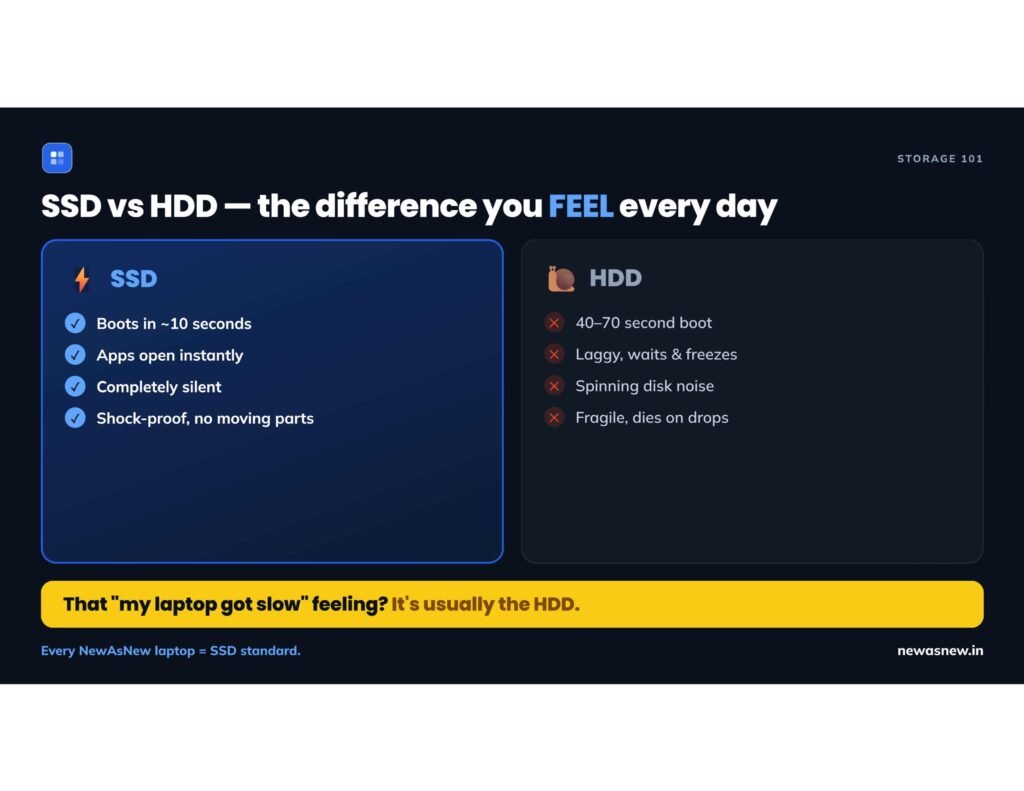
Short answer: An SSD is far faster than an HDD — the single biggest thing that makes a laptop feel fast or slow. An SSD boots in about 10 seconds instead of a minute and opens apps instantly. When choosing a laptop, an SSD matters more than a slightly faster processor. Never buy a laptop with only an HDD in 2026.
SSD vs HDD — the real difference
| SSD | HDD | |
|---|---|---|
| Speed | Very fast (no moving parts) | Slow (spinning disk) |
| Boot time | ~10 seconds | 40–70 seconds |
| Durability | Shock-resistant | Fragile |
| Feel | Snappy, modern | Sluggish, “old laptop” |
The one-line truth: that “my laptop has become slow” feeling is usually the HDD — not the processor. Swapping to an SSD makes an old laptop feel new.
Why SSD beats a faster processor
For everyday use — booting, opening Chrome, Word, Excel, switching apps — you’re waiting for the drive, not the processor. A cheaper laptop with an SSD feels dramatically faster than an expensive one with an HDD. For 90% of users: SSD first, processor second.
How to check if a laptop has an SSD or HDD
On Windows: press Ctrl+Shift+Esc → Task Manager → Performance tab → click Disk. It says “SSD” or “HDD”. Before buying any laptop, confirm it has an SSD.
The best-value upgrade in tech
If you own an HDD laptop that feels slow, don’t replace it — add an SSD. A 256–512GB SSD costs about ₹1,500–3,000 and is the most transformative upgrade you can do. At NewAsNew, every certified laptop ships with an SSD as standard. 💬 WhatsApp us.
Frequently asked questions
Is an SSD better than an HDD?
Yes. An SSD is far faster, more durable and silent. It boots a laptop in about 10 seconds versus 40–70 for an HDD. In 2026, always choose an SSD.
Does an SSD matter more than the processor?
For everyday use, yes. Most waiting time is the drive, not the processor. A laptop with an SSD feels much faster even with a slower processor.
Can I upgrade an HDD laptop to an SSD?
Usually yes. A 256–512GB SSD costs about ₹1,500–3,000 and is the most transformative cheap upgrade you can make.
Should I buy a laptop with an HDD in 2026?
No. Avoid HDD-only laptops. Insist on an SSD (or SSD + HDD combo).
Written by A Pandey, founder of NewAsNew (NextG Serve Pvt. Ltd., New Delhi).