 Airpods & Earbuds (Unboxed)
  Camera & Lenses (Unboxed)
  Headphones (Unboxed)
  Laptops (Unboxed)
  MacBooks (Unboxed)
  Mobile Accessories (Unboxed)
  Monitors (Unboxed)
  Wearables (Unboxed)
  Laptops (Grade A)
  Monitors (Grade A)
  Smartphone (Grade A)
Short answer: Before paying for any refurbished iPhone in India, check five things: battery health (accept 85% or higher), Parts and Service History for non-genuine parts, whether True Tone still appears in Display settings, Face ID unlocking repeatedly, and that the phone was erased so it never asks for anyone else’s Apple Account. Then buy on remaining iOS support life, not looks. The iPhone 13 at ₹30,390 (62% off MRP ₹79,900) is the safest value pick in 2026; the iPhone 12 Mini at ₹19,990 is the cheapest honest entry.
Prices are live as of 29 September 2026 and move with stock — check the linked product page for today’s exact price.
iPhones hold their value extremely well — which is why they are the most faked, stolen and misrepresented gadgets in India’s second-hand market. A ₹20,000 iPhone is worth stealing; a ₹20,000 Android is not. This is the checklist we run before listing any iPhone.
What should you check, and in what order?
Deal-breakers first. A scratch is negotiable; Activation Lock is not.
| # | Check | Where to look | Pass mark |
|---|---|---|---|
| 1 | Phone is fully erased | Setup screen after Erase All Content | Never asks for another Apple Account |
| 2 | IMEI matches invoice and box | Settings → General → About, or dial *#06# | Identical in all three |
| 3 | Carrier lock | Settings → General → About → Carrier Lock | Reads “No SIM restrictions” |
| 4 | Battery health | Settings → Battery → Battery Health & Charging | 85% or higher |
| 5 | Parts and Service History | Settings → General → About, bottom | No “Unknown Part” warning |
| 6 | True Tone present | Settings → Display & Brightness | Toggle exists |
| 7 | Face ID | Unlock five times | Works every time |
| 8 | Liquid contact indicator | Inside the SIM tray slot | White or silver, never red |
| 9 | Remaining iOS support | Generation of the phone | 3 more years at that price |
| 10 | Hardware test | Cameras, speakers, mic, port, buttons | All work, no rattle |
| 11 | Paperwork | Invoice | GST invoice, warranty, return window |
What battery health percentage should you actually accept?
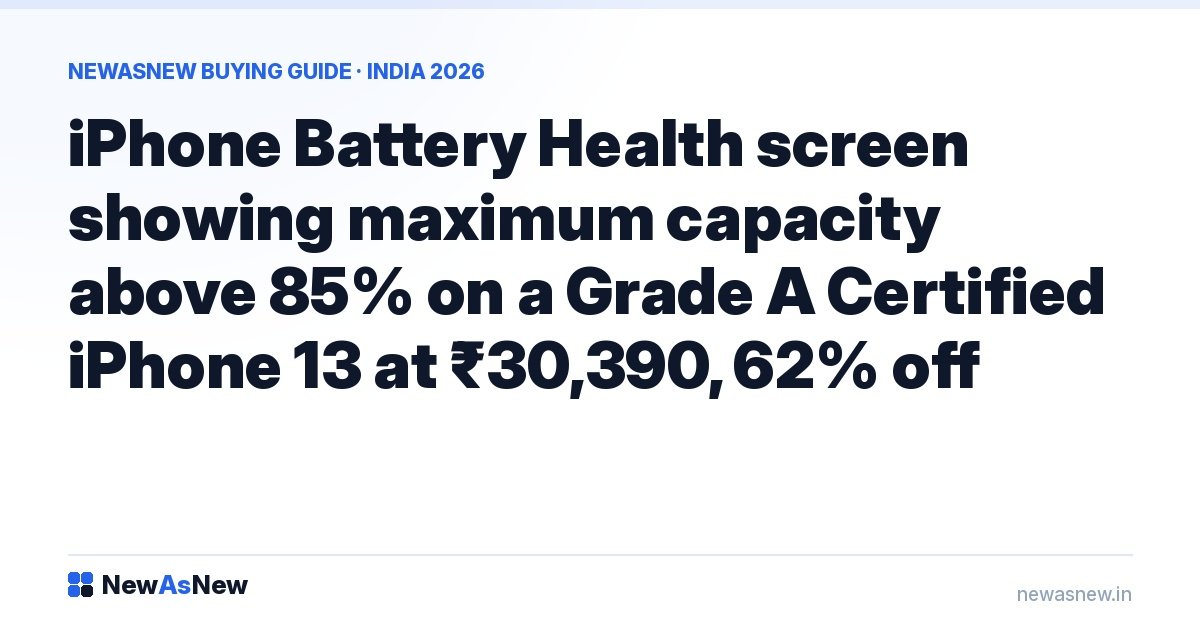
Settings → Battery → Battery Health & Charging → Maximum Capacity. That number says more about remaining life than the year the phone was made.
- 95–100% — essentially new.
- 85–94% — good for one to two more years of normal use.
- 80–84% — only at a clearly lower price. Apple treats 80% as the end of optimal performance.
- Below 80% — budget ₹2,500–₹6,000 for a replacement and deduct it from the price.
“Service Recommended” instead of a percentage is not a negotiating point — it is a cost. Every iPhone we list is tested above 85%; the reasoning is in Refurbished iPhone battery health: what percentage is actually acceptable.
How do you prove the iPhone is not stolen or Activation Locked?
Activation Lock ties an iPhone to the previous owner’s Apple Account. Buy one still signed in and you own a paperweight no service centre can unlock.
The test that cannot be faked: make the seller erase the phone in front of you (Settings → General → Transfer or Reset iPhone → Erase All Content and Settings), then complete setup yourself. If it asks for an Apple Account that is not yours, walk away. Never accept “I’ll send the password later”. Confirm Find My is off and the Apple Account section at the top of Settings is signed out entirely — not just the App Store. Then check the serial at checkcoverage.apple.com: a valid purchase date means Apple recognises the unit. A serial Apple has never seen means a counterfeit or a replaced logic board. Full routine: How to check if a refurbished phone is genuine.
How do you spot replaced or non-genuine parts?
A swapped screen or camera is invisible until it fails. This is where Indian buyers lose most.
Parts and Service History. Settings → General → About, scroll to the bottom. On iPhone XR and later, iOS labels any replaced display, battery or camera “Genuine Apple Part” or “Unknown Part”. Genuine is a proper repair. “Unknown Part” means someone opened the phone to save money, not to restore it.
True Tone is the tell-tale. Settings → Display & Brightness should show a True Tone toggle. Fit a non-genuine panel, or transfer one without its calibration data, and True Tone vanishes from that menu. On an iPhone 8 or later, a missing toggle is the surest sign of a cheap screen swap.
Face ID. The sensor array is factory-paired to the logic board. If Face ID is “unavailable” or setup refuses to finish, the front module has been tampered with — not repairable outside Apple.
Liquid contact indicator. Indian iPhones still have a physical SIM tray. Pop it out, shine a torch inside: the strip should be white or silver. Red or pink means water ingress, and corrosion surfaces months later.
Is the iPhone carrier-locked, and does the model number matter?
Carrier Lock must read “No SIM restrictions” under Settings → General → About. Anything else means the phone was sold on a foreign carrier contract and may refuse Jio, Airtel or Vi — common on grey-market imports that are cheap for a reason. Check the model number on the same screen: India-supported stock matches the 5G bands our networks broadcast, and warranty service on a phone never sold here is a fight you do not want.
How many more years of iOS updates will it get?
Almost nobody asks this, and it decides whether a cheap iPhone is a bargain or a two-year rental. Apple’s pattern is roughly six major iOS releases per device.
| Generation | Chip | Launched | Realistic major-iOS runway from 2026 |
|---|---|---|---|
| iPhone 12 family | A14 Bionic | 2020 | Shortest — 1 to 2 more, then security updates |
| iPhone 13 family | A15 Bionic | 2021 | 2 to 3 more |
| iPhone 14 / 14 Plus | A15 Bionic | 2022 | About 3 more |
| iPhone 14 Pro / Pro Max | A16 Bionic | 2022 | 3 to 4 more |
| iPhone 15 / 15 Plus | A16 Bionic | 2023 | About 4 more |
| iPhone 15 Pro / Pro Max | A17 Pro | 2023 | Longest we stock — 4 to 5 more |
These are estimates from a consistent pattern, not promises — Apple publishes no end-dates. The practical rule: an iPhone 12 at ₹21,990 is honest value if you replace phones every two years, a poor decision if you expect five. See How long will your iPhone get iOS updates?
Which iPhone should you buy at your budget?
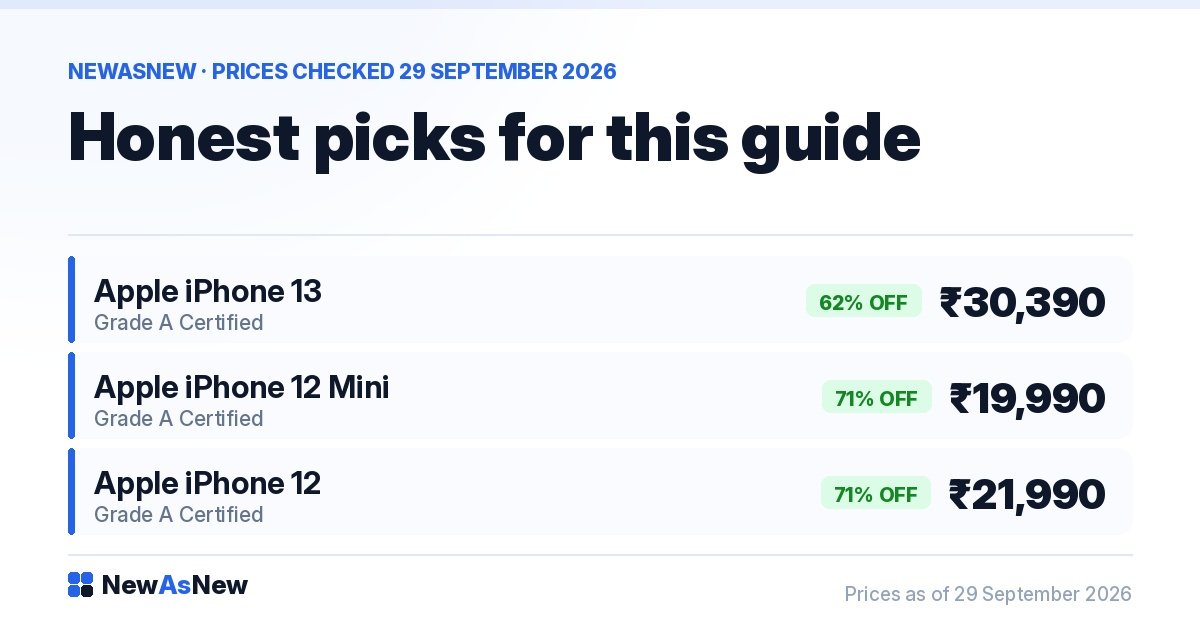
All Grade A Certified, in stock today.
| Your budget | Buy this | Live price | Why |
|---|---|---|---|
| Under ₹20,000 | iPhone 12 Mini | ₹19,990 (71% off MRP ₹69,900) | Cheapest honest way into iOS. Small battery, short runway. |
| ₹20,000–₹25,000 | iPhone 12 | ₹21,990 (71% off MRP ₹74,900) | Full-size screen, 5G, A14 still quick. Best price-per-feature. |
| ₹25,000–₹32,000 | iPhone 13, or 13 Mini at ₹28,490 | ₹30,390 (62% off MRP ₹79,900) | Safest all-round pick — much better battery than the 12. |
| ₹32,000–₹40,000 | iPhone 14, or 12 Pro for telephoto | ₹34,990 (56% off) / ₹34,490 (71% off) | Also: 12 Pro Max ₹38,390, 14 Plus ₹39,490. |
| ₹40,000–₹50,000 | iPhone 13 Pro | ₹44,990 (62% off MRP ₹1,19,900) | ProMotion 120Hz and Pro cameras for non-Pro money. Or 15 Plus ₹46,990, 15 ₹47,490 (USB-C), 13 Pro Max ₹49,490. |
| ₹50,000–₹60,000 | iPhone 14 Pro | ₹55,990 (53% off MRP ₹1,19,900) | Dynamic Island, 48MP main, A16. 14 Pro Max ₹58,990 for more battery. |
| ₹70,000 and above | iPhone 15 Pro | ₹72,990 (46% off MRP ₹1,34,900) | Titanium, USB-C, A17 Pro. 15 Pro Max ₹79,990 adds 5x zoom. |
The discount pattern is the real buying signal: the deepest percentages sit on the iPhone 12 family (70–71% off), the shallowest on the iPhone 15 (41–50% off). You are paid, in percentage terms, to accept a shorter runway. Torn between generations? See iPhone 12 vs 13, 13 vs 14, 14 vs 15 or Pro vs non-Pro.
Who should NOT buy a refurbished iPhone?
We would rather lose the sale than have you regret it.
You want the newest iPhone. The refurbished market runs two to three years behind. Buy new.
You need a factory-sealed box for a gift. Grade A Certified is restored and repacked, not sealed. Here is the honest difference between unboxed, refurbished and new.
You are buying from an individual on a classifieds app and cannot run this checklist. No invoice, no warranty, no recourse if the phone locks next week — see Refurbished vs second-hand.
You will keep one phone five years on a ₹20,000 budget. The iOS runway on an iPhone 12 will not stretch that far. Save for the iPhone 14 at ₹34,990 instead.
You need a multi-year manufacturer warranty. Buy new — our warranty terms are written out, so read them before you decide.
What “Excellent” battery health means here: above 80% of original design capacity on a laptop, and above 85% on a smartphone. The thresholds differ because the two age differently — a laptop spends most of its life on mains power, a phone is cycled every day. Anything below that is not listed; there is no lower battery tier. The measured figure for your exact unit is printed on its product page.
Frequently asked questions
Which refurbished iPhone should I buy in India in 2026?
For most buyers the iPhone 13 at ₹30,390 (62% off MRP ₹79,900) is the best balance of price, battery life and remaining iOS updates. Under ₹22,000, the iPhone 12 at ₹21,990 is the value pick. Above ₹55,000, the iPhone 14 Pro at ₹55,990.
What battery health is acceptable on a refurbished iPhone?
Accept 85% or higher. Between 80% and 84%, only at a clearly reduced price. Below 80%, assume a replacement costing roughly ₹2,500–₹6,000 and deduct it from the asking price. Check it under Settings, Battery, Battery Health and Charging, Maximum Capacity.
How do I check if a used iPhone has an iCloud Activation Lock?
Make the seller erase the phone in front of you, then complete setup yourself. If it asks for an Apple Account that is not yours, the previous owner never signed out and the phone is unusable. Also check the serial at checkcoverage.apple.com.
Why is True Tone missing on some refurbished iPhones?
Because the display was replaced with a non-genuine panel, or transferred without its calibration data. On an iPhone 8 or later, a missing True Tone toggle in Settings, Display and Brightness is the clearest sign of a cheap screen swap.
What does “Unknown Part” mean in Parts and Service History?
It means a display, battery or camera is not a genuine Apple component. iOS lists this under Settings, General, About on iPhone XR and later. “Genuine Apple Part” is a proper repair; “Unknown Part” means someone opened the phone to save money, not to restore it.
How long will a refurbished iPhone 13 keep getting iOS updates?
Apple publishes no end-dates, but its pattern is roughly six major iOS releases per device. An iPhone 13, launched in 2021, should realistically see two to three more major releases from 2026, then security updates. The iPhone 15 Pro has the longest runway we stock.
Do refurbished iPhones from NewAsNew come with warranty and a GST invoice?
Yes. Every Grade A Certified iPhone passes our 50-point quality check, ships with tested battery health above 85%, and comes with warranty, GST invoice, 7-day returns and EMI. What the check covers.
Browse by budget: under ₹30,000, ₹35,000, ₹40,000, ₹50,000. Or start with Is it safe to buy a refurbished phone in India in 2026? and 7 mistakes people make buying refurbished gadgets.
Want us to run this checklist with you? Message us on WhatsApp at wa.me/917982235917 — send your budget and how long you keep a phone, and we will name one model and one price, even if the answer is buy new.
Written by the NewAsNew team, NextG Serve Pvt. Ltd., New Delhi. We run this checklist on every iPhone ourselves and reject the units that fail — what happens to those. Read our story.
Why our grade is the strictest in the business
Most refurbished sellers in India grade downwards. A unit arrives, it fails the top standard, so it becomes a Grade B. It fails that, it becomes a Grade C. Nothing is ever really rejected, because every grade is another shelf to put it on. That is how a “certified refurbished” market ends up full of devices nobody would certify.
We run one grade, and one answer. Every device that reaches our bench goes through a 50-point check. Only 2 to 3 out of every 10 pass. The other 7 to 8 go back to the supplier — not down a grade, not onto a marketplace, not into a clearance bin. Back. We have no Grade B to hide a failure in, which is precisely why our Grade A means something.
That is the whole business in one sentence: not every product deserves to be sold. We would rather ship nothing this week than ship something that will come back to you in three months. It is an expensive way to run a refurbishing operation and it is the reason we will not be the cheapest seller you find.
We publish the pass rate as a range rather than one flattering number, because the real figure moves month to month with the stock we are offered. Anyone can quote a percentage. Explaining why you refuse to quote a single one is harder to fake — and we have yet to find another refurbisher in India who rejects seven in ten and says so publicly.
Every unit that does pass ships with a 6-month NewAsNew Assured Warranty, a GST invoice in your name, 7-day returns and no-cost EMI. The full 50-point process is documented here, and the published criteria are here — read them before you buy from anyone, including us.
Related iPhone guides
Pick by budget, or check the one spec that decides whether a used iPhone is worth it: