 Airpods & Earbuds (Unboxed)
  Camera & Lenses (Unboxed)
  Headphones (Unboxed)
  Laptops (Unboxed)
  MacBooks (Unboxed)
  Mobile Accessories (Unboxed)
  Monitors (Unboxed)
  Wearables (Unboxed)
  Laptops (Grade A)
  Monitors (Grade A)
 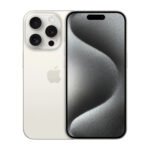 Smartphone (Grade A)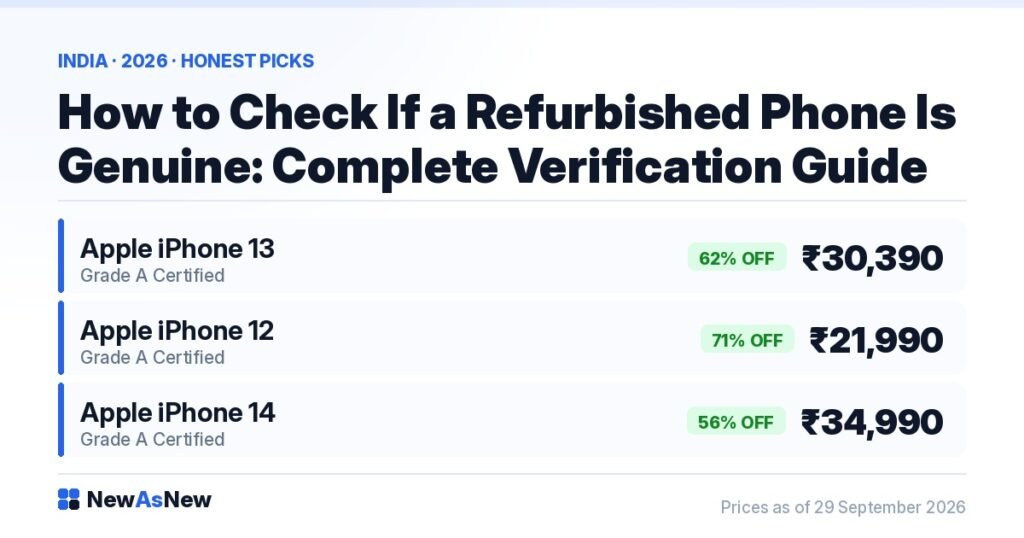
Short answer: Eight checks settle it. Verify the IMEI on ceir.gov.in, confirm Find My and Activation Lock are off on the device itself, read Settings → General → About for Parts and Service History and Carrier Lock, confirm True Tone still exists, check the liquid contact indicator in the SIM tray, and read the battery health percentage. Every iPhone we list has already passed all eight — the iPhone 13 Grade A Certified at ₹30,390 is 62% below its ₹79,900 launch price.
Prices are live as of 29 September 2026 and move with stock — check the linked product page for today’s exact price.
What “Excellent” battery health means here: above 80% of original design capacity on a laptop, and above 85% on a smartphone. The thresholds differ because the two age differently — a laptop spends most of its life on mains power, a phone is cycled every day. Anything below that is not listed; there is no lower battery tier. The measured figure for your exact unit is printed on its product page.
Buying a refurbished phone without verification is the single biggest reason people have bad experiences. None of this is difficult, and all of it can be done in fifteen minutes with the phone in your hand. Work through it in order.
Before you pay: what to ask the seller
- “What is the IMEI number?” Every legitimate seller will tell you, before payment.
- “What is the battery health percentage?” A number, not a word.
- “Is the device fully signed out of the previous Apple Account?”
- “Have any parts been replaced, and does Settings show them as genuine Apple parts?”
- “Is the Carrier Lock clear, and what are your warranty terms and return window in writing?”
If a seller refuses to share the IMEI before purchase, walk away. There is no legitimate reason to withhold it, and it takes ten seconds.
The eight checks, in order
| # | Check | Where | What a pass looks like |
|---|---|---|---|
| 1 | IMEI validity and status | Dial *#06# · ceir.gov.in | Valid, not blocked or reported stolen |
| 2 | Activation Lock / Find My | On the device at setup | Never asks for another Apple ID |
| 3 | Previous account signed out | Settings → your name | Only your account appears |
| 4 | Parts and Service History | Settings → General → About | No “Unknown Part” warnings |
| 5 | True Tone present | Settings → Display & Brightness | The toggle exists (iPhone 8 and later) |
| 6 | Carrier Lock | Settings → General → About | “No SIM restrictions” |
| 7 | Liquid contact indicator | Inside the SIM tray slot | White or silver, never red or pink |
| 8 | Battery health | Settings → Battery → Battery Health | Maximum Capacity above 85% |
Check 1: the IMEI
The IMEI is the phone’s unique identity — an Aadhaar number for the handset. Find it by dialling *#06#, under Settings → General → About, on the box, or engraved on the SIM tray.
Then verify it. CEIR (ceir.gov.in) is the Government of India’s device registry, and it tells you whether the IMEI has been reported lost or stolen and blocked. This is the check that matters most in India and the one most buyers skip. On an Apple device you can also enter the serial at checkcoverage.apple.com to confirm it is genuine and registered.
Three ways an IMEI fails: it does not validate at all (likely a clone), it validates but shows as blocked (stolen), or the on-screen IMEI does not match the one engraved on the tray and printed on the box (tampered). Any of the three means stop.
Checks 2 and 3: Activation Lock, Find My and the previous account
This is the most common problem we see on our own bench, and the one that makes a phone genuinely unusable rather than merely disappointing.
Apple has retired its public Activation Lock checker, so no website will answer this. Verify on the device:
- If the Hello screen says “iPhone Locked to Owner”, stop. Only the previous owner can release it.
- Complete setup yourself. It must never ask for anyone else’s Apple ID or password. If it does, the phone is not yours to use, whatever the seller says.
- Once set up, Settings → your name should show only your Apple Account, with Find My under your control.
A proper handover is three steps in order: turn off Find My iPhone, sign out of the Apple Account, then Erase All Content and Settings. A phone reset without signing out is still locked.
On Android the equivalent is a Google account left on the device after reset, and Samsung adds its own account lock. Setup should never ask for credentials you do not own.
Checks 4 and 5: has the screen or battery been swapped?
Go to Settings → General → About and scroll to Parts and Service History. On iPhone 11 and later, iOS lists major replaced components — display, battery, camera — and labels each:
- “Genuine Apple Part” — replaced with an Apple part, properly calibrated. Acceptable on a refurbished phone as long as it was disclosed to you.
- “Unknown Part” — not a genuine Apple component, or not calibrated. This is the warning you are looking for.
- No such section at all — on a supported model, nothing has been replaced. The cleanest result.
Then the cross-check that catches what the labels miss. Open Settings → Display & Brightness and look for the True Tone toggle. Every iPhone from the 8 onwards has it. If the toggle has vanished, the display has almost certainly been replaced with a non-genuine or uncalibrated panel — True Tone depends on sensor data tied to the original screen and usually disappears with it. A missing True Tone switch on a model that should have one is one of the most reliable tells there is.
Ask about any replaced part rather than assuming the worst. A genuine Apple display fitted by a competent technician is fine. An unknown panel sold to you as untouched is not.
Check 6: Carrier Lock
Still in Settings → General → About, find Carrier Lock. It must read “No SIM restrictions”. If it names a carrier, the handset is tied to a network — often a foreign one on an imported unit — and your Indian SIM may not work at all. Five seconds, almost universally skipped, and the one that turns a bargain into a paperweight.
Checks 7 and 8: water damage and battery
Liquid contact indicator. Pop the SIM tray and look into the slot with a torch. The small strip inside is white or silver if dry, red or pink if the phone has had liquid contact — the defect most likely to surface weeks later, and one that voids most warranty cover. On models sold without a SIM tray, lean harder on the seller’s diagnostics report.
Battery health. Settings → Battery → Battery Health & Charging → Maximum Capacity. Above 85% is comfortable, above 90% excellent, below 80% means budget for a replacement or negotiate. Also look for a “Service” message or a battery flagged as an Unknown Part. Our guide to acceptable iPhone battery health covers what each band means day to day. On Android there is no built-in equivalent, so install AccuBattery and compare design capacity against estimated capacity over a few cycles.
The physical pass
- Every port with a real cable — charging and data transfer both.
- Both speakers, the earpiece and the microphone: play music, record a voice note, make an actual call.
- Every camera and lens, photo and video, front and back.
- All buttons, plus touch response in all four corners and along both edges.
- Face ID or Touch ID enrolled from scratch — a failed sensor is expensive.
- Wi-Fi, Bluetooth, mobile data and GPS, each confirmed working.
Who should NOT buy a refurbished phone
- Anyone buying from an unverified seller without running these checks. A listing with stock photos, no IMEI and no return window is not a bargain at any price. Buy from someone who publishes the checks, or buy new.
- Anyone who needs full manufacturer warranty and an Apple service centre from day one. A Grade A phone carries our 6-month warranty, not Apple’s original cover.
- Anyone who needs many more years of OS updates. An older iPhone has fewer iOS versions ahead of it — read how long your iPhone will keep getting updates before choosing a generation.
- Anyone who cannot accept any cosmetic mark. Grade A Certified means restored and fully working with marks photographed and disclosed — not factory-new.
- Anyone wanting a non-Apple phone from us right now. Our smartphone shelf is iPhone-only today, and we will not pretend otherwise to keep you on the page.
The iPhones we can ship today
- Apple iPhone 12 (Grade A Certified) — ₹21,990 (MRP ₹74,900, 71% off), roughly ₹1,833 a month on EMI.
- Apple iPhone 13 (Grade A Certified) — ₹30,390 (MRP ₹79,900, 62% off), roughly ₹2,533 a month.
- Apple iPhone 14 (Grade A Certified) — ₹34,990 (MRP ₹79,900, 56% off), roughly ₹2,916 a month.
- Apple iPhone 15 (Grade A Certified) — ₹47,490 (MRP ₹79,900, 41% off), roughly ₹3,958 a month.
All eight checks are part of our 50-point quality check, run on every unit before listing. Only 2 to 3 out of every 10 devices that reach our bench pass; the other 7 to 8 go back to the supplier. The exact figure moves month to month with the stock we are offered, so we publish the range rather than one flattering number. Every phone ships with a written 6-month warranty, a GST invoice, 7-day returns and EMI.
You do not have to do this yourself when you buy from us — but knowing the checks makes you a better buyer everywhere, including at the shop down the road. Compare generations with iPhone 12 vs 13, or browse the best refurbished iPhones under ₹30,000.
Frequently asked questions
How do I check if a refurbished phone is genuine?
Verify the IMEI with *#06# and on ceir.gov.in, confirm Activation Lock and Find My are clear on the device itself, read Settings → General → About for Parts and Service History and Carrier Lock, confirm the True Tone toggle still exists, inspect the liquid contact indicator in the SIM tray, and read Maximum Capacity under Battery Health. A phone that passes all eight is genuine and safe.
How do I verify a phone’s IMEI in India?
Dial *#06# to display it, then check it on ceir.gov.in — the Government of India’s device registry — to confirm it has not been reported lost or stolen and blocked. Also confirm the on-screen IMEI matches the one engraved on the SIM tray and printed on the box. A mismatch means the device has been tampered with.
How do I know an iPhone is not iCloud or Activation Locked?
Check on the device. Apple has retired its public Activation Lock checker, so no website will answer this. If the Hello screen says “iPhone Locked to Owner”, stop. Otherwise complete setup — it must never ask for another Apple ID — then confirm Settings → your name shows only your own Apple Account.
How can I tell if an iPhone screen has been replaced?
Two checks. Settings → General → About → Parts and Service History lists replaced components on iPhone 11 and later, labelling each “Genuine Apple Part” or “Unknown Part”. Then confirm the True Tone toggle still exists in Settings → Display & Brightness — every iPhone from the 8 onwards has it, and a non-genuine replacement panel usually makes it disappear.
What does “Unknown Part” mean on an iPhone?
That component is not a genuine Apple part, or was fitted without proper calibration. A replaced part is not automatically a problem — “Genuine Apple Part” is fine if it was disclosed — but “Unknown Part” on a phone sold as untouched is a reason to walk away.
What battery health is acceptable on a refurbished phone?
Above 85% is comfortable, above 90% excellent. Below 80%, budget for a replacement or negotiate. Always ask for the Maximum Capacity figure rather than accepting “battery is good”.
What is Carrier Lock and why does it matter?
Carrier Lock, under Settings → General → About, shows whether the handset is tied to a mobile network. It must read “No SIM restrictions”. Imported phones are often locked to a foreign carrier, which can stop your Indian SIM working entirely.
How do I check for water damage?
Remove the SIM tray and shine a torch into the slot. The liquid contact indicator inside reads white or silver on a dry device, red or pink if it has had liquid contact. Liquid damage typically surfaces weeks later and voids most warranty cover, so treat red as a hard no.
Browse and ask
All Grade A Certified iPhones in stock · The full refurbished iPhone checklist · Is buying a refurbished phone safe? · What happens if you return it
Send us the IMEI of any phone you are considering — even one you are buying elsewhere. Message us on WhatsApp and we will tell you what to check and what the answers should look like. No obligation to buy from us.
Written by Atul Pandey, founder of NewAsNew (NextG Serve Pvt. Ltd., New Delhi). I run these checks on every phone we list and reject the ones that fail — because not every product deserves to be sold. Our story and why we grade honestly.