Airpods & Earbuds (Unboxed)
  Camera & Lenses (Unboxed)
  Headphones (Unboxed)
  Laptops (Unboxed)
  MacBooks (Unboxed)
  Mobile Accessories (Unboxed)
  Monitors (Unboxed)
  Wearables (Unboxed)
  Laptops (Grade A)
  Monitors (Grade A)
  Smartphone (Grade A)
 Short answer: For freelance design work in India in 2026, the best refurbished pick is the Dell Latitude 5421 (Core i7 11th Gen H-Series, 14-inch Full HD IPS) at ₹39,990 — enough processor and RAM headroom to keep Figma, Photoshop and Illustrator open together. On a tighter budget, the Dell Latitude 7400 (Core i5 8th Gen, 14-inch, roughly 1.36 kg) at ₹24,990 handles Figma and moderate Photoshop work well. For colour-sensitive work, the Apple MacBook Pro 16-inch at ₹41,990 has the better display.
Prices are live as of 16 August 2026 and move with stock — check the linked product page for today’s exact price.
The colour question — and what we will not promise you
Corporate business laptops such as the Dell Latitude series were specified for spreadsheets, email and presentations. The Full HD IPS panels in the newer generations are genuinely pleasant to work on: even backlight, wide viewing angles, matte anti-glare finish that does not turn into a mirror under a tubelight. That is a real upgrade over the TN panels in cheap new laptops at the same price.
But colour gamut is not part of our 50-point quality check. We test the panel for dead pixels, backlight bleed, brightness uniformity and hinge behaviour. We do not put a colorimeter on every unit, so we will not quote you an sRGB percentage. Any seller who quotes you an exact gamut figure on a five-year-old used panel without showing you the measurement is guessing.
What this means in practice. If your work is digital — social creatives, UI design in Figma, presentation decks, web graphics, YouTube thumbnails, client mockups — a good IPS business panel is fine. Clients view your work on their own uncalibrated phones and monitors anyway. If your work is colour-critical print, packaging, textile or product photography retouching where a Pantone match has to survive to press, you need a calibrated panel and a hardware calibrator. We cannot promise that from a refurbished corporate laptop, and you should not buy one expecting it.
Best refurbished laptops for freelancers and designers in India (2026)
| Laptop | Processor | Screen | Weight | Price | Best for |
|---|---|---|---|---|---|
| Dell Latitude 5421 | Core i7 11th Gen H-Series | 14″ FHD IPS touch | ~1.6 kg | ₹39,990 | Overall best for design |
| Dell Latitude 7400 | Core i5 8th Gen | 14″ FHD | ~1.36 kg | ₹24,990 | Portability, co-working |
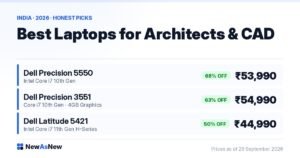
| Dell Precision 5550 | Core i7 10th Gen | 15.6″ FHD IPS anti-glare | ~1.8 kg | ₹44,990 | Big canvas, 4GB dedicated graphics |
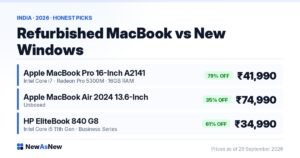
| Apple MacBook Pro 16-inch | Core i7, Radeon Pro 5300M | 16″ Retina | ~2.0 kg | ₹41,990 | Best display we stock |
| Dell Latitude 7490 | Core i5 8th Gen | 14″ FHD | ~1.4 kg | ₹22,490 | Starting out, tight budget |
1. Dell Latitude 5421 — ₹39,990 (our pick for working designers)
The 5421 runs an 11th Gen Core i7 H-Series chip. The H matters: it is the higher-power variant Dell normally puts in workstations, not the low-wattage U-series chip in most thin business laptops. In design work that shows up when you apply a filter to a large PSD, export a batch of assets, or scroll a Figma file with hundreds of frames — the machine finishes and gets out of the way instead of spinning.
Who should skip it: if you only design occasionally alongside other work, this is more machine than you need. Spend ₹15,000 less on the 7400 and put the difference into an external monitor.
2. Dell Latitude 7400 — ₹24,990 (the co-working commute pick)
Around 1.36 kg, 14-inch Full HD, carbon-fibre and aluminium chassis, backlit keyboard. If your week involves a bag, a metro, and a hot desk you did not book, this is the one. It is noticeably lighter than a 15.6-inch machine, and the difference is felt in the shoulder by the third day, not the first.
3. Dell Precision 5550 — ₹44,990 (largest usable canvas)
A 15.6-inch Full HD IPS anti-glare panel in a compact chassis, a 10th Gen Core i7, 16GB or 32GB RAM, and 4GB of dedicated graphics. The extra screen area is the real argument here: in Illustrator or Premiere, panels and toolbars eat a fixed number of pixels, so a bigger canvas means less time hiding and unhiding palettes.
4. Apple MacBook Pro 16-inch — ₹41,990 (if the display is the point)
Core i7 six-core, 16GB RAM, 512GB SSD, Radeon Pro 5300M with 4GB of graphics memory, Grade A Certified. The 16-inch Retina display is the best screen in our current laptop stock — brighter, denser and more consistent than anything in the Latitude range. If you work in a Mac-native studio pipeline or you simply want the better panel, this is the machine.
Say the downside out loud: this is an Intel MacBook, not Apple Silicon. It runs warmer, the battery life is ordinary compared to an M-series machine, and Apple’s software support window for Intel Macs is shorter than for M-chip models. Our MacBook buying guide works through that trade in detail.
How much RAM do you actually need for Figma, Photoshop and Illustrator?
| Your typical day | RAM to buy | What happens if you go lower |
|---|---|---|
| Figma in the browser, Canva, light Photoshop | 8GB | Works, but close other tabs |
| Figma plus Illustrator plus Photoshop together | 16GB | Constant swapping, save-and-close habits |
| Large PSDs, many artboards, InDesign, client reference tabs | 32GB | Scratch disk warnings, slow exports |
Figma is the quiet exception people underestimate: it runs in Chrome, and a heavy Figma file with a browser full of tabs consumes memory the way a native application does. Sixteen gigabytes is the practical floor for anyone doing this professionally. Our guide on 8GB vs 16GB vs 32GB RAM goes deeper into where the real cutoffs sit.
The client-call problem nobody mentions
Two honest fixes. First, sit facing a window or put a lamp behind your screen rather than behind you — this improves a 720p webcam more than any hardware change. Second, if calls are a large part of how you win work, budget ₹1,500 to ₹2,500 for an external 1080p webcam. That is a better use of money than paying ₹8,000 more for a laptop with a marginally better built-in camera.
Working across three places: weight, battery and ports
- Weight. Under 1.5 kg is comfortable to carry daily. The 7400 at roughly 1.36 kg and the 7490 at roughly 1.4 kg qualify. The Precision 5550 and the MacBook Pro 16-inch do not, and you will feel it.
- Battery. These are used machines. We state a measured battery health band on every listing rather than claiming new-battery figures. Plan for roughly 3 to 5 hours of real mixed use depending on the unit and the generation, and carry the charger. Anyone promising you eight hours from a refurbished laptop is selling, not measuring.
- Ports and docking. All the Latitude and Precision models above carry USB-C with Thunderbolt plus HDMI. That means one cable to an external monitor at a client desk, and it means you can add the Alienware AW2725DM 27-inch QHD Fast IPS monitor at ₹19,990 at home. A second screen changes design work more than a faster processor does.
Who should NOT buy a refurbished laptop for design work
Four kinds of buyer should walk away from this page.
- Colour-critical print and packaging designers. You need a calibrated panel and a hardware calibrator. We cannot certify colour accuracy on a used display and we will not pretend to.
- 3D artists and motion designers. Blender rendering, Cinema 4D and heavy After Effects want a current dedicated GPU. Even the 4GB graphics in the Precision units is a working card, not a rendering card.
- Anyone who needs all-day battery away from a socket. Buy new, or buy the MacBook Air M3 at ₹74,990.
- Anyone who will not accept cosmetic marks. Grade A Certified means professionally restored, not factory new. If a faint mark on a lid will bother you every day, buy from our Unboxed range instead.
Frequently asked questions
Is a refurbished laptop good enough for graphic design work in India?
Yes, for digital design work. A Dell Latitude 5421 at ₹39,990 with 16GB RAM runs Figma, Photoshop and Illustrator together comfortably, and business-series machines were built for three years of daily corporate use. The exception is colour-critical print work, which needs a calibrated display we cannot guarantee on a used panel.
How much RAM do I need for Figma and Photoshop at the same time?
Sixteen gigabytes is the practical minimum for running both together. Figma runs in the browser and behaves like a native application in memory use, so eight gigabytes forces you to keep closing tabs. Choose 32GB if you also keep Illustrator or InDesign open, or if you routinely work on large multi-layer PSD files.
Do refurbished laptops have good enough screens for design?
The Full HD IPS panels on 10th and 11th Gen business laptops are good for digital design: matte, even backlight, wide viewing angles. We check every panel for dead pixels, backlight bleed and brightness uniformity in our 50-point quality check. We do not measure colour gamut, so we do not quote sRGB percentages on used displays.
Which is better for a freelance designer, a refurbished MacBook Pro or a Dell Latitude?
Take the MacBook Pro 16-inch at ₹41,990 if the display quality is your priority or your clients work in a Mac pipeline. Take the Dell Latitude 5421 at ₹39,990 if you want a newer 11th Gen processor, a lighter machine and Windows-native software. The MacBook has the better screen; the Latitude has the newer internals.
Is the webcam on a refurbished business laptop good enough for client calls?
It is adequate in daylight and weak in poor lighting. These machines ship 720p HD webcams. Lighting improves the picture far more than hardware does, so face a window or place a lamp behind the screen. If video calls win you work, add an external 1080p webcam for ₹1,500 to ₹2,500 rather than paying thousands more for the laptop.
What warranty do I get on a refurbished laptop for professional work?
Six months of NewAsNew Assured warranty on Grade A Certified units, covering motherboard, display, keyboard, ports, hinges and storage. Batteries, physical damage and liquid damage are excluded, as they are with brand warranties. You also get a GST invoice, which matters if you are claiming the laptop as a business expense, plus 7-day returns and card EMI.
The honest bottom line
If you design for a living and the laptop is the tool that earns the money, buy the Dell Latitude 5421 at ₹39,990 with 16GB or 32GB of RAM. If you are building a freelance practice alongside other income, buy the Latitude 7400 at ₹24,990 and spend the saved money on a second monitor and better lighting for calls — both will improve your work more than a faster chip.
And if your work has to match a printed colour exactly, do not buy any refurbished laptop for that job. Buy a calibrated monitor first and let the laptop be the machine that drives it. We would rather tell you that than sell you the wrong thing.
Browse current stock: Grade A Certified laptops · Grade A MacBooks · Unboxed monitors · All products
Still deciding? Message us on WhatsApp (+91 79822 35917) with your budget and how you will use it, and we will tell you honestly whether this is the right pick for you.
Written by the NewAsNew team — NextG Serve Pvt. Ltd., New Delhi. We have been selling electronics since 2020 and refurbished and unboxed devices since 2022. Read our story.
Laptops we stock for this kind of work
For design, video and heavier freelance workloads, these are the certified units on our shelf that fit best — each page shows live availability, current ₹ price and EMI: