Airpods & Earbuds (Unboxed)
  Camera & Lenses (Unboxed)
  Headphones (Unboxed)
  Laptops (Unboxed)
  MacBooks (Unboxed)
  Mobile Accessories (Unboxed)
  Monitors (Unboxed)
  Wearables (Unboxed)
  Laptops (Grade A)
  Monitors (Grade A)
  Smartphone (Grade A)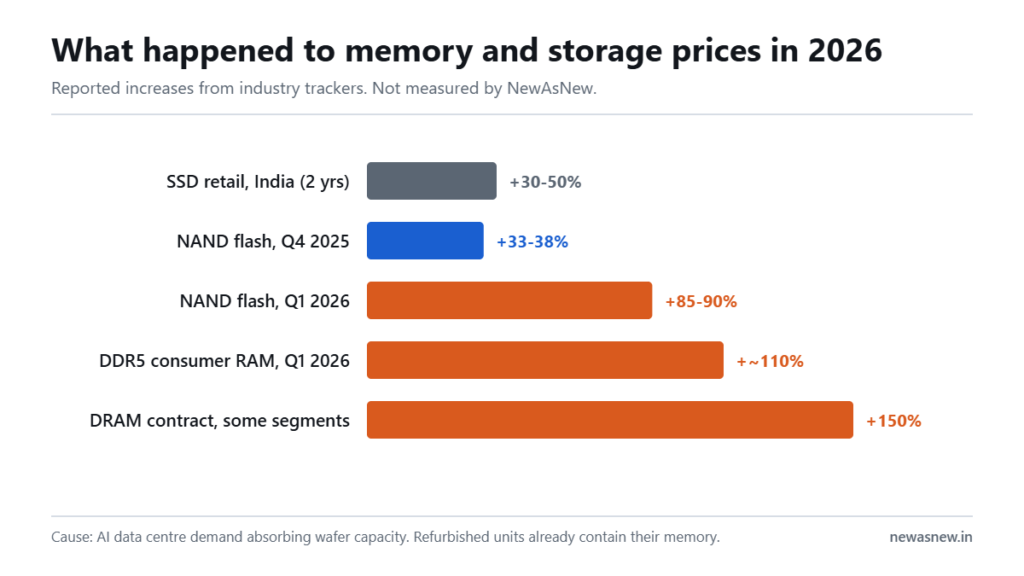
Short answer: Windows 10 mainstream support ended on 14 October 2025, and the consumer Extended Security Updates bridge ends on 13 October 2026 — about five weeks from now. After that date a Windows 10 home machine stops receiving security patches. If your laptop is 8th Gen Intel or newer with TPM 2.0, upgrade to Windows 11 free. If it is 7th Gen or older it is not eligible, and replacement is the realistic answer — a Grade A Certified Dell Latitude 5400 Core i7 at Rs 22,490 is Windows 11 eligible.
Prices are live as of 6 September 2026 and move with stock — check the linked product page for the current figure before you decide.
The dates that matter
| Date | What happened or happens |
|---|---|
| 14 October 2025 | Windows 10 mainstream support ended |
| October 2025 to October 2026 | Consumer Extended Security Updates bridge year |
| 13 October 2026 | Consumer ESU ends. Last day to enrol and last day of updates. |
| Through October 2028 | Enterprise ESU remains available to organisations that purchase it |
The consumer ESU programme is a single year and does not extend. Enrolling near the deadline does not buy extra months; it only covers you to the same end date.
What actually happens after 13 October
Your laptop does not stop working and Windows does not shut down. What stops is security patching. Newly discovered vulnerabilities in Windows 10 will not be fixed for home users after that date.
How much that matters depends on what you do on the machine:
- Banking, UPI, work email, client files. This matters a lot. Move to a supported system.
- A secondary machine for offline documents and printing. Lower risk, and reasonable to run on for a while with good habits.
- A shop or office machine handling customer data. This matters, and in some cases has compliance implications for you.
Check whether your laptop can run Windows 11
Four requirements, and one of them is where most machines fail.
- Processor: Intel 8th Generation or newer, or AMD Ryzen 2000 series or newer. This is the usual failure point.
- TPM 2.0: a security chip. Present on most business laptops from 2018 onward, sometimes disabled in BIOS by default.
- Secure Boot and UEFI: both must be enabled, not legacy BIOS mode.
- 4GB RAM and 64GB storage minimum, though in practice 8GB and 256GB are the realistic floor.
How to check in two minutes: press Windows key plus R, type winver to see your current version. Then press Windows key plus R again and type tpm.msc — it will tell you whether TPM is present and which version. For the processor, open Settings, System, About and read the processor line; the first digits after the dash give the generation, so i5-8250U is 8th Gen and i5-7200U is 7th.
Microsoft PC Health Check application gives a single yes or no answer if you would rather not check each item.
If TPM is off rather than absent
This is common and fixable. Many business laptops shipped with TPM present but disabled. Restart, enter BIOS setup (usually F2 or F12 on Dell, F10 on HP), and look for TPM, Security Device, PTT or fsTPM under Security settings. Enable it, also enable Secure Boot, save and exit.
Back up your data before changing BIOS settings. If the drive is encrypted with BitLocker, suspend BitLocker first or you may be asked for a recovery key you do not have.
If your laptop is not eligible
Your realistic options, honestly ranked:
- Replace it. A 7th Gen or older machine is already eight or more years old. Every Grade A Certified laptop we list is 8th Gen or newer and therefore Windows 11 eligible.
- Move it to Linux. Genuinely viable for browsing, documents and email, free, and it keeps receiving security updates. It is not viable if you need Tally, specific Windows-only software or Microsoft Office desktop apps.
- Keep using it carefully as an offline or secondary machine. Not for banking.
- Unofficial Windows 11 installation. Possible on unsupported hardware, but Microsoft does not guarantee updates on such installs. We do not recommend it for a machine you rely on.
Windows 11 eligible machines in stock
| Model | Generation | Price | Stock today |
|---|---|---|---|
| Dell Latitude 5400 Core i7 | 8th Gen | Rs 22,490 | In stock |
| Dell Latitude 7490 Core i5 | 8th Gen | Rs 22,490 | In stock |
| Dell Latitude 5490 Core i5 | 8th Gen | Rs 23,490 | In stock |
| Dell Latitude 7400 Core i7 | 8th Gen | Rs 24,490 | In stock |
| HP EliteBook 830 G8 Core i5 | 10th Gen | Rs 32,990 | In stock |
| HP EliteBook 840 G8 Core i5 | 11th Gen | Rs 32,990 | In stock |
| Dell Latitude 5421 Core i7 H-Series | 11th Gen | Rs 39,990 | In stock |
| Dell Precision 5550 Core i7 | 10th Gen | Rs 48,490 | In stock |
Windows 11 eligibility is one of the checks in our 50-point process. We do not list laptops older than 8th Gen, specifically because we do not want to sell someone a machine with a closing software window.
Who should NOT rush to replace their laptop
- Anyone already on Windows 11. This deadline does not affect you at all.
- Anyone with an 8th Gen or newer machine. Upgrade free rather than replace. It takes an hour.
- Anyone whose laptop is only used offline. A machine that never touches the internet is a much lower risk.
- Anyone who could switch to Linux comfortably. If your work is browser and documents, this is a free, legitimate answer and we would rather say so.
What we can ship today
Every unit below is in stock as this page was last checked, with a 6-month NewAsNew Assured Warranty, GST invoice, 7-day returns and no-cost EMI. If it is listed here, we can dispatch it.
| Model | Price | MRP | You save |
|---|---|---|---|
| Dell Latitude 7490 Intel Core i5 8th Gen Laptop · Business Series |
₹22,490 | ₹88,999 | 75% |
| Dell Latitude 5400 Core i7 8th Gen Laptop · Business Series |
₹25,990 | ₹79,999 | 68% |
| Dell Latitude 5310 2-in-1 Core i5 10th Gen Laptop · 360° Convertible · Business Series |
₹39,990 | ₹89,000 | 55% |
| Dell Precision 3551 Core i7 10th Gen Laptop · 4GB Graphics · Mobile Workstation |
₹54,990 | ₹149,999 | 63% |
Prices checked on 29 September 2026 — stock and prices move, so the linked product page is always the truth.
Browse all laptops in stock · Ask us on WhatsApp which one fits you
Frequently asked questions
When does Windows 10 support actually end?
Mainstream support ended on 14 October 2025. The consumer Extended Security Updates programme runs to 13 October 2026, which is both the final enrolment date and the last day updates are issued for home users. Enterprise ESU can run through October 2028 for organisations that purchase it.
Will my Windows 10 laptop stop working after October 2026?
No. It continues to work. What stops is security patching, so newly discovered vulnerabilities will not be fixed. That matters most if you bank or handle client data on the machine.
Is the Windows 11 upgrade free?
Yes, for eligible Windows 10 devices with a genuine licence. There is no charge for the upgrade itself.
Which processors support Windows 11?
Intel 8th Generation and newer, and AMD Ryzen 2000 series and newer, along with TPM 2.0, Secure Boot and UEFI. Intel 7th Gen and older are not on Microsoft supported list.
Can I install Windows 11 on an unsupported laptop?
There are unofficial methods, but Microsoft does not guarantee updates on unsupported hardware and the position can change with any release. For a machine you depend on, we do not recommend it.
Do NewAsNew laptops come with Windows 11?
Every laptop we list is 8th Gen Intel or newer and therefore Windows 11 eligible. Licence status and Windows version are recorded during our 50-point check and stated on the product page.
Related guides
- Best refurbished laptops in India 2026, by budget
- Intel Core i5 vs i7 in refurbished laptops
- 8th vs 10th vs 11th Gen: the real-world difference
- Why laptop prices are rising in India in 2026
Still deciding? Talk to a human
Send us the work you do and your budget on WhatsApp and we will tell you honestly whether we have something for you — or whether you should wait. Chat with NewAsNew on WhatsApp (+91 79822 35917).
Browse live stock: Grade A Certified laptops · Refurbished iPhones · Unboxed headphones · Unboxed earbuds.
Written by Atul Pandey, co-founder of NewAsNew (NextG Serve Private Limited, New Delhi). We came from four years of offline electronics retail in Prayagraj before building NewAsNew. Only 2 to 3 out of every 10 devices that reach our QC bench pass; the other 7 to 8 go back to the supplier. The exact figure moves month to month with the stock we are offered, so we publish the range rather than one flattering number. Read our story.