Airpods & Earbuds (Unboxed)
  Camera & Lenses (Unboxed)
  Headphones (Unboxed)
  Laptops (Unboxed)
  MacBooks (Unboxed)
  Mobile Accessories (Unboxed)
  Monitors (Unboxed)
  Wearables (Unboxed)
  Laptops (Grade A)
  Monitors (Grade A)
  Smartphone (Grade A)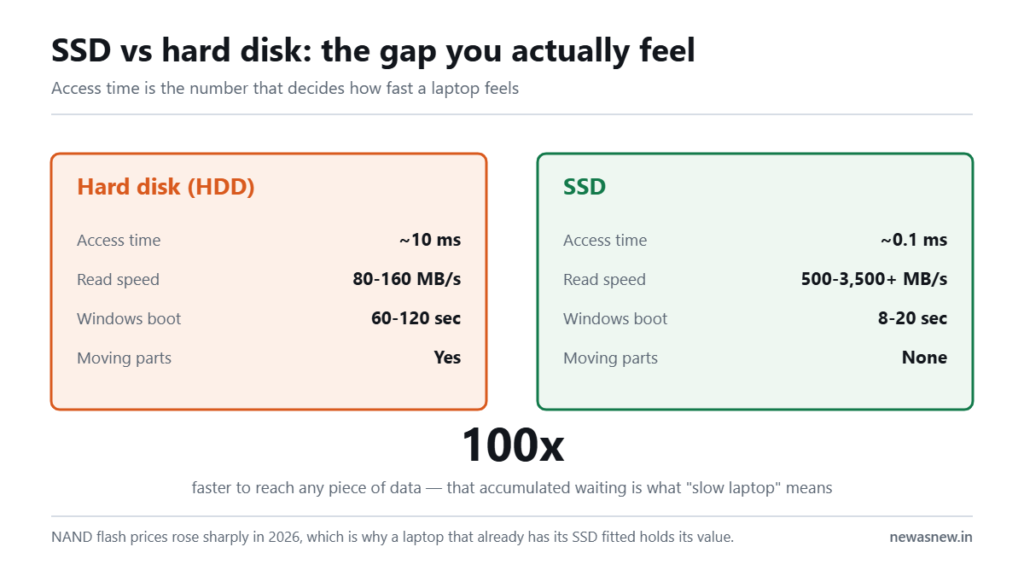
Short answer: An SSD has no moving parts and reaches your data in about 0.1 milliseconds against roughly 10 milliseconds for a spinning hard disk. That single gap is why an SSD laptop boots in seconds and an HDD laptop takes minutes. In 2026 SSD prices rose sharply — NAND flash was reported up 33-38% in Q4 2025 and a further 85-90% in Q1 2026 — which is precisely why a refurbished laptop that already has its SSD fitted, like the Dell Latitude 5400 Core i7 at Rs 22,490, has become better value this year rather than worse.
Prices are live as of 6 September 2026 and move with stock — check the linked product page for the current figure before you decide.
What is actually different inside?
A hard disk is a mechanical device. Metal platters spin at 5,400 or 7,200 revolutions per minute and an arm physically moves a head across them to find your file. It is precision engineering and it is also, by 2026 standards, slow, fragile and noisy.
An SSD is flash memory chips on a board. No motor, no arm, nothing that has to travel. It finds any piece of data in the same amount of time regardless of where it sits.
| Hard disk (HDD) | SSD | |
|---|---|---|
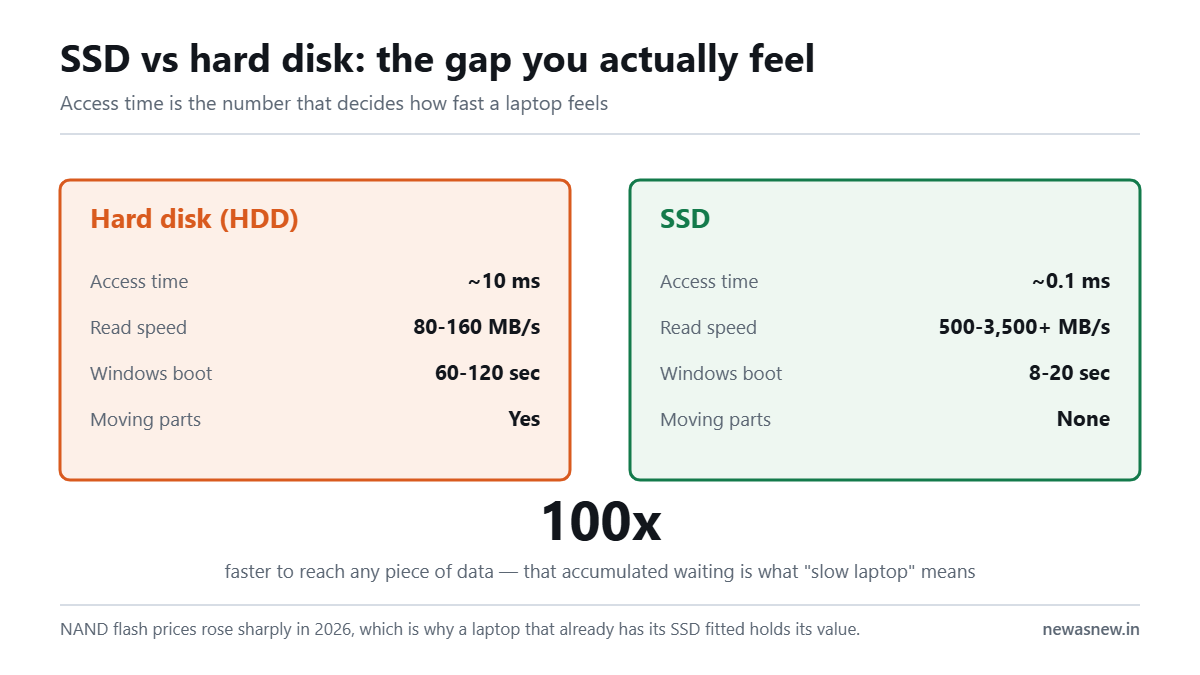
| Access time | Around 10 milliseconds | Around 0.1 milliseconds |
| Typical read speed | 80-160 MB/s | 500 MB/s (SATA) to 3,500+ MB/s (NVMe) |
| Windows boot | 60-120 seconds | 8-20 seconds |
| Moving parts | Yes | None |
| Drop survival | Poor while spinning | Good |
| Noise | Audible click and whir | Silent |
| Battery draw | Higher | Lower |
| Cost per GB | Much cheaper | Much more expensive, and rising |
What will you actually feel?
The number that matters is not sequential speed, it is access time. Everyday computing is thousands of tiny scattered reads — opening an app, loading a webpage, saving a file, Windows checking something in the background. On a hard disk each one waits for a physical arm to move. That accumulated waiting is what people mean when they say a laptop feels slow.
In practice, on the same machine, moving from an HDD to an SSD typically means Windows boots in about 15 seconds instead of 90, Chrome opens instantly instead of after a visible pause, and Excel stops freezing while it saves. It is the single largest upgrade available to an old laptop, and it is why we do not list any laptop with a mechanical boot drive.
Why did SSD prices rise so much in 2026?
The same reason RAM did. NAND flash and DRAM are made on wafer capacity that AI accelerators also need, and manufacturers moved production toward the customers paying more. Reported figures through the period: NAND flash up 33-38% in Q4 2025 and a further 85-90% in Q1 2026, with some SSD segments up around 147%. In India, retail SSD prices were reported up roughly 30-50% between mid-2024 and mid-2026, with rupee movement and import duties adding on top of the global rise.
Those are trackers’ figures, not ours. What we can say first-hand is what it does to us: replacing a small or failing drive during refurbishment costs materially more in 2026 than it did in 2024, and we would rather state that than pretend our costs are immune.
Is there any reason to still use a hard disk?
Yes, one: bulk storage where speed does not matter. If you keep 4TB of raw video, family photos or a media library, a hard disk is still several times cheaper per gigabyte and that gap has actually widened as SSD prices climbed.
The sensible setup in 2026 is exactly what most business laptops already do: a fast SSD inside the laptop for Windows and your working files, and an external hard disk for archives. What you should not do is run your operating system from a spinning disk. Nothing else you buy will fix the slowness that causes.
NVMe or SATA?
Both are SSDs. SATA SSDs top out near 550 MB/s because of the older connection they use. NVMe SSDs connect over PCIe and reach several thousand MB/s.
The honest truth for most people: moving from HDD to SATA SSD is a life-changing difference. Moving from SATA SSD to NVMe is a nice difference you will notice mainly when copying large files. Do not pay a large premium for NVMe if you write documents. Do insist on it if you edit video or move big datasets daily.
Who should NOT worry about this
- Anyone already on any SSD. Your next upgrade is RAM or a better screen, not a faster drive.
- Anyone buying a 2018-or-newer business laptop. Essentially all of them shipped with SSDs. Every Grade A Certified laptop we list has one.
- Archive hoarders. If your problem is storing 6TB cheaply, an external HDD is still the right tool and always was.
What we can ship today
Every unit below is in stock as this page was last checked, with a 6-month NewAsNew Assured Warranty, GST invoice, 7-day returns and no-cost EMI. If it is listed here, we can dispatch it.
| Model | Price | MRP | You save |
|---|---|---|---|
| Dell Latitude 7490 Intel Core i5 8th Gen Laptop · Business Series |
₹22,490 | ₹88,999 | 75% |
| Dell Latitude 5400 Core i7 8th Gen Laptop · Business Series |
₹25,990 | ₹79,999 | 68% |
| Dell Latitude 5310 2-in-1 Core i5 10th Gen Laptop · 360° Convertible · Business Series |
₹39,990 | ₹89,000 | 55% |
| Dell Precision 3551 Core i7 10th Gen Laptop · 4GB Graphics · Mobile Workstation |
₹54,990 | ₹149,999 | 63% |
Prices checked on 29 September 2026 — stock and prices move, so the linked product page is always the truth.
Browse all laptops in stock · Ask us on WhatsApp which one fits you
Frequently asked questions
Is an SSD really 10 times faster than a hard disk?
In access time, roughly 100 times faster — about 0.1ms against 10ms. In sequential transfer, around 4-25 times depending on whether it is SATA or NVMe. In how the laptop feels day to day, the access time gap is the one you experience.
Why did SSD prices go up in 2026?
AI infrastructure demand pulled manufacturing capacity toward high-margin products, tightening NAND flash supply. Reported increases were 33-38% in Q4 2025 and a further 85-90% in Q1 2026. Supply is expected by analysts to stay tight through the end of 2026.
How long does an SSD last?
Modern consumer SSDs are rated for hundreds of terabytes written. A typical user writes a few terabytes a year, so the drive will normally outlive the laptop. You can check remaining health with the free CrystalDiskInfo tool.
Can I add an SSD to my old laptop?
Usually yes, if it has a 2.5-inch bay or an M.2 slot. Given 2026 prices, compare the cost of the drive plus the labour against a refurbished laptop that already has one fitted — the maths often favours the second option now.
Do all NewAsNew laptops have SSDs?
Yes. Storage type and health are part of our 50-point check, and we do not list a laptop with a mechanical boot drive. Only 2 to 3 out of every 10 devices reaching our bench pass; drive condition is one of the reasons units fail.
Is 256GB SSD enough in 2026?
For documents, browsing and light work, yes. For anyone keeping photos, video or large project files locally, 512GB is the comfortable floor. Check whether the laptop has a spare M.2 slot before you settle for 256GB.
Related guides
- Best refurbished laptops in India 2026, by budget
- Intel Core i5 vs i7 in refurbished laptops
- 8th vs 10th vs 11th Gen: the real-world difference
- Why laptop prices are rising in India in 2026
Still deciding? Talk to a human
Send us the work you do and your budget on WhatsApp and we will tell you honestly whether we have something for you — or whether you should wait. Chat with NewAsNew on WhatsApp (+91 79822 35917).
Browse live stock: Grade A Certified laptops · Refurbished iPhones · Unboxed headphones · Unboxed earbuds.
Written by Atul Pandey, co-founder of NewAsNew (NextG Serve Private Limited, New Delhi). We came from four years of offline electronics retail in Prayagraj before building NewAsNew. Only 2 to 3 out of every 10 devices that reach our QC bench pass; the other 7 to 8 go back to the supplier. The exact figure moves month to month with the stock we are offered, so we publish the range rather than one flattering number. Read our story.