Airpods & Earbuds (Unboxed)
  Camera & Lenses (Unboxed)
  Headphones (Unboxed)
  Laptops (Unboxed)
  MacBooks (Unboxed)
  Mobile Accessories (Unboxed)
  Monitors (Unboxed)
  Wearables (Unboxed)
  Laptops (Grade A)
  Monitors (Grade A)
  Smartphone (Grade A)
 Short answer: Under ₹50,000 in India, the honest pick for video editing is the Dell Precision 5550 (Core i7 10th Gen, 15.6-inch Full HD IPS, 4GB dedicated graphics) at ₹44,990. This budget genuinely handles 1080p work — DaVinci Resolve with optimised media, Premiere Pro at reduced playback resolution, YouTube and social video. It does not handle 4K multicam or heavy After Effects. If that is your work, this is not your budget, and we will say so.
Prices are live as of 16 August 2026 and move with stock — check the linked product page for today’s exact price.
Read this before the picks: what ₹50,000 actually buys
So here is the boundary, stated plainly.
| Work | Under ₹50,000? | Reality |
|---|---|---|
| 1080p timelines, single camera, cuts and titles | Yes | Comfortable. This is the sweet spot. |
| DaVinci Resolve with optimised media or proxies | Yes | Works well. Generate proxies first. |
| Premiere Pro at half or quarter playback resolution | Yes | Standard professional practice, not a compromise |
| YouTube, Reels, Shorts, ads, corporate 1080p | Yes | The machines below do this all day |
| Basic colour grading, LUTs, simple Resolve nodes | Yes | Fine within 4GB of graphics memory |
| 4K native timelines without proxies | No | Playback will stutter. Transcode instead. |
| 4K multicam, three or more angles | No | Not realistic at this budget. Do not try. |
| Heavy After Effects — particles, 3D, long comps | No | RAM preview will be painful |
| Resolve noise reduction, heavy OpenFX, Fusion | No | 4GB of video memory is the hard ceiling |
| Long-form 4K wedding delivery as a business | No | Wrong budget. Save more or build a desktop. |
If your honest answer sits in the lower half of that table, stop reading and go save more money. We would rather you come back in six months and buy the right machine than buy the wrong one today and blame us for it.
Dedicated graphics is the specification that matters here
This is why the Dell Precision units matter in this guide. They are mobile workstations with 4GB of dedicated graphics memory, which is a real GPU with its own memory rather than a slice of your RAM.
Now the honest limit. Four gigabytes of video memory is enough for 1080p grading and standard effects. It is not enough for Resolve’s temporal noise reduction, heavy Fusion compositing, or stacked OpenFX on a 4K timeline. You will hit “GPU memory full” errors, and no amount of system RAM fixes that. Four gigabytes is a working card, not a rendering card, and anyone who tells you otherwise has not run the software.
Best refurbished laptops for video editing under ₹50,000 in India (2026)
| Laptop | Processor | Graphics | Screen | Price | Best for |
|---|---|---|---|---|---|
| Dell Precision 5550 | Core i7 10th Gen | 4GB dedicated | 15.6″ FHD IPS anti-glare | ₹44,990 | Overall best value for 1080p editing |
| Dell Precision 3551 | Core i7 10th Gen | 4GB dedicated | 15.6″ | ₹48,990 | Best cooling for long exports |
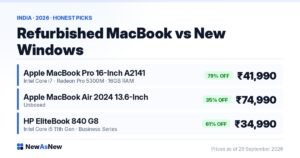
| Apple MacBook Pro 16-inch | Core i7 6-core | Radeon Pro 5300M 4GB | 16″ Retina | ₹41,990 | Final Cut Pro, best display |
| Dell Latitude 5421 | Core i7 11th Gen H-Series | Integrated Intel | 14″ FHD IPS touch | ₹39,990 | Light 1080p work only |
1. Dell Precision 5550 — ₹44,990 (our pick)
A 15.6-inch Full HD IPS anti-glare panel, 10th Gen Core i7, 4GB of dedicated graphics, and configurations at 16GB or 32GB RAM with 256GB, 512GB or 1TB SSD. The compact workstation chassis keeps it around 1.8 kg, which is portable for a machine of this class.
2. Dell Precision 3551 — ₹48,990 (for long exports)
Same 10th Gen Core i7 class and 4GB of dedicated graphics in a larger 15.6-inch mobile workstation chassis, with 16GB or 32GB RAM and 512GB or 1TB of storage. The thicker body means bigger fans and higher sustained power limits, which is what keeps a 40-minute export from throttling halfway through. Our Precision 3551 vs 5550 comparison covers the differences.
3. Apple MacBook Pro 16-inch — ₹41,990 (Final Cut Pro route)
Six-core Core i7, 16GB RAM, 512GB SSD, Radeon Pro 5300M with 4GB of graphics memory, Grade A Certified. The 16-inch Retina display is the best screen in our current stock, which is a genuine advantage when you are grading. Final Cut Pro is extremely well optimised and will run 1080p timelines smoothly on this hardware.
The downsides, stated plainly: this is an Intel Mac, not Apple Silicon. It runs hot under sustained export load and the fans are audible. Apple’s software support window for Intel Macs is shorter than for M-series machines, so plan on a shorter useful life than a new Mac. And it weighs about 2 kg. If macOS and the display are what you want, it is good value at ₹41,990. If you want years of macOS updates, read our MacBook buying guide before deciding.
4. Dell Latitude 5421 — ₹39,990 (only for light work)
An 11th Gen Core i7 H-Series with integrated Intel graphics. We are including it with a warning attached. The 11th Gen chip has strong hardware video decoding, so it handles H.264 and HEVC 1080p playback more comfortably than its specification suggests, and for cuts-only YouTube or Reels editing it is genuinely fine.
But it has no dedicated graphics. Resolve will struggle beyond simple timelines. If video editing is the main reason you are buying a laptop, spend the extra ₹5,000 on the Precision 5550. If video is occasional and coding or design is your main work, the 5421 is the better all-rounder — it is our pick in the programming guide for that reason.
Storage: the constraint editors always underestimate
Video files are enormous, and a 512GB SSD that felt generous when you bought it disappears after two wedding shoots. Plan storage before you buy, not after.
- Choose the 1TB configuration where it is listed. The price difference between 512GB and 1TB on these units is small compared to what an external drive plus the daily friction costs you.
- Keep the internal SSD for the operating system, applications and the project you are cutting right now. Nothing else.
- Add an external SSD over USB-C for footage and archives. All the Dell models here have Thunderbolt, so an external SSD runs fast enough to edit 1080p directly from it.
Our note on 256GB vs 512GB vs 1TB storage works through the maths for different kinds of work.
How to make a ₹45,000 laptop edit like a much more expensive one
These are the working practices that professional editors use on modest hardware. They are not compromises — the same techniques run on machines costing five times as much.
- Generate proxies or optimised media before you start. Resolve and Premiere both create lower-resolution stand-ins for editing, then automatically switch back to full-quality footage on export. This is the single biggest change you can make.
- Drop playback resolution to half or quarter. It only affects your preview window, never the export. Most editors leave it there permanently.
- Clear media cache regularly. Premiere’s cache silently consumes tens of gigabytes.
Who should walk away from this page
This is the part we would like you to take seriously, because buying the wrong machine hurts more in this category than any other.
- You shoot 4K multicam weddings for a living. Three or four 4K angles on a timeline is a different class of hardware. Under ₹50,000 will not do it, and proxies only partly rescue a multicam workflow. Save towards ₹90,000 or more, or build a desktop, which gives you far more performance per rupee.
- You do motion graphics in After Effects daily. After Effects wants a lot of RAM and a strong GPU, and RAM preview on a 4GB card is genuinely frustrating. This is not the budget.
- You need colour-accurate grading for client delivery. We do not measure colour gamut on used panels and will not quote sRGB figures we have not verified. Grade on a calibrated external monitor and let the laptop drive it.
- You do 3D, Blender rendering, or Unreal work alongside video. Nothing here is a rendering machine.
- You need battery-powered editing on location. These are used batteries, we state a measured health band on every listing, and GPU work drains them quickly. Expect roughly 2 to 3 hours when editing, not more.
If you fit any of the above, the honest advice is to keep your current machine and save. If you fit the first table’s upper half, buy the Precision 5550 and get to work.
What we can ship today
Every unit below is in stock as this page was last checked, with a 6-month NewAsNew Assured Warranty, GST invoice, 7-day returns and no-cost EMI. If it is listed here, we can dispatch it.
| Model | Price | MRP | You save |
|---|---|---|---|
| Dell Latitude 7490 Intel Core i5 8th Gen Laptop · Business Series |
₹22,490 | ₹88,999 | 75% |
| Dell Latitude 5400 Core i7 8th Gen Laptop · Business Series |
₹25,990 | ₹79,999 | 68% |
| HP EliteBook 830 G8 Intel Core i5 11th Gen Laptop · Business Series |
₹39,990 | ₹129,999 | 69% |
| Dell Latitude 5421 Intel Core i7 11th Gen H-Series Laptop · Business Series |
₹44,990 | ₹89,999 | 50% |
Prices checked on 29 September 2026 — stock and prices move, so the linked product page is always the truth.
Browse all laptops under ₹50,000 in stock · Ask us on WhatsApp which one fits you
Frequently asked questions
Can a refurbished laptop under ₹50,000 handle video editing?
Yes, for 1080p work. The Dell Precision 5550 at ₹44,990 with a Core i7 10th Gen processor and 4GB of dedicated graphics runs DaVinci Resolve with optimised media and Premiere Pro at reduced playback resolution comfortably. It cannot handle 4K multicam, heavy After Effects compositions, or Resolve noise reduction, and no laptop at this price can.
Do I need dedicated graphics for video editing?
Yes, if you use DaVinci Resolve or apply effects in Premiere Pro. Resolve does almost all its work on the GPU, so integrated graphics turns timeline playback into a slideshow beyond simple cuts. The 4GB dedicated graphics in the Dell Precision 5550 and 3551 is the specification that makes these machines viable for editing at all.
Can I edit 4K video on a laptop under ₹50,000 in India?
Only by transcoding to proxies first, and only for single-camera footage. Native 4K playback will stutter on any machine at this price. If you deliver long-form 4K or shoot multicam professionally, this is the wrong budget — save towards ₹90,000 or more, or build a desktop, which gives far more performance per rupee for editing.
How much RAM do I need for video editing?
Sixteen gigabytes is the working minimum and 32GB is genuinely worth the money for video, unlike most other uses. Premiere Pro caches heavily and After Effects RAM preview consumes memory in proportion to composition length. Choose the 32GB configuration of the Precision 5550 or 3551 if it is in stock when you order.
Is a refurbished MacBook Pro good for video editing under ₹50,000?
The 16-inch MacBook Pro at ₹41,990 with a six-core Core i7 and Radeon Pro 5300M runs Final Cut Pro well at 1080p and has the best display in our stock. The honest caveats are that it is an Intel Mac rather than Apple Silicon, it runs hot under sustained export, and Apple’s support window for Intel Macs is shorter.
How much storage do I need for video editing?
Choose 1TB internally if the configuration is available, and add an external SSD over USB-C for footage. A 512GB drive fills after two or three shoots once you account for the operating system, applications and media cache. Never edit from a mechanical external hard disk — it causes the stuttering timelines people usually blame on the laptop.
The honest bottom line
Under ₹50,000, buy the Dell Precision 5550 at ₹44,990 with as much RAM as the listing offers, and accept from the start that this is a 1080p machine. Work with proxies, drop your playback resolution, export overnight, and it will serve you well for years of YouTube, social, corporate and event work at 1080p.
What it will not do is 4K multicam or heavy compositing, and we are not going to imply otherwise to close a sale. If that is your work, this is the wrong page and the wrong budget — and knowing that today is worth more to you than anything we could sell you. If your needs are lighter than you thought, our guide for freelancers and designers covers machines from ₹22,490 that handle social video and design work well.
Browse current stock: Grade A Certified laptops · Grade A MacBooks · All products
Still deciding? Message us on WhatsApp (+91 79822 35917) with your budget and how you will use it, and we will tell you honestly whether this is the right pick for you.
Written by the NewAsNew team — NextG Serve Pvt. Ltd., New Delhi. We have been selling electronics since 2020 and refurbished and unboxed devices since 2022. Read our story.