Airpods & Earbuds (Unboxed)
  Camera & Lenses (Unboxed)
  Headphones (Unboxed)
  Laptops (Unboxed)
  MacBooks (Unboxed)
  Mobile Accessories (Unboxed)
  Monitors (Unboxed)
  Wearables (Unboxed)
  Laptops (Grade A)
  Monitors (Grade A)
  Smartphone (Grade A)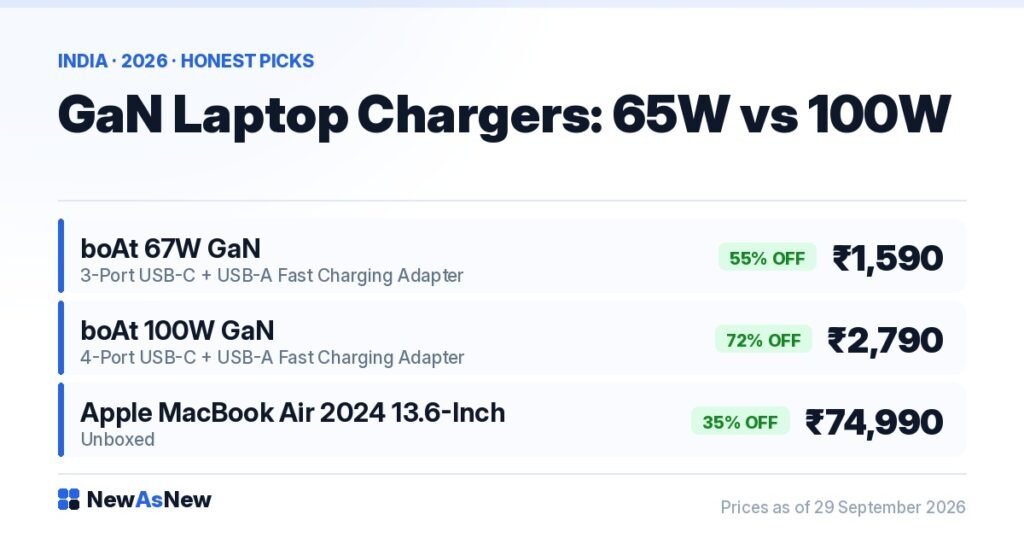
Short answer: GaN chargers use gallium nitride instead of silicon, so they run cooler and fit far more power into a small brick. For one 14-inch business laptop plus a phone, the boAt 67W GaN 3-port charger at ₹1,590 (55% off MRP ₹3,499) is enough. Step up to the boAt 100W GaN 4-port at ₹2,790 only if you charge a 16-inch MacBook Pro or three devices at full speed together. Most people do not need 100W.
Prices are live as of 29 September 2026 and move with stock — check the linked product page for today’s exact price.
What does GaN actually change inside the charger?
Every charger has to switch incoming AC on and off very fast to step it down to a usable DC voltage. For forty years that switching was done by silicon transistors.
Gallium nitride is a wider-bandgap semiconductor. It switches faster and loses less energy as heat at the same power level. Two practical consequences follow, and both matter in India.
First, size. Less waste heat means smaller heatsinks and smaller magnetics, so a 100W GaN brick is roughly the size of an old 45W silicon adapter. You can carry one charger for a laptop, a phone and earbuds instead of three.
Second, heat. In a Chennai or Nagpur summer, a silicon brick delivering its full rated output gets hot and throttles back to protect itself — which is exactly when your laptop charges slowest. A GaN unit has more headroom before that happens. It still gets warm. Anything telling you a GaN charger stays cool at full load is overselling it.
What GaN does not change: it does not increase how fast your laptop can accept power. That ceiling is set by the laptop, not the charger.
How many watts does your laptop actually need?
USB-C Power Delivery negotiates a voltage and current pair between charger and device. Laptops generally sit between 45W and 100W. The device asks; the charger offers what it has; they settle on the highest common profile.
| Device class | Typical need | What 67W does | What 100W adds |
|---|---|---|---|
| Phone or tablet | 20–45W | Full speed | Nothing |
| 13-inch MacBook Air (M-series) | 30–35W | Full speed | Nothing |
| 14-inch business laptop (Latitude 5000/7000, EliteBook 800) | 65W | Full speed | Nothing |
| 15-inch mobile workstation with dedicated GPU | 90–130W | Charges, slower under heavy load | Meaningfully faster |
| 16-inch MacBook Pro (Intel, A2141 class) | 96W | Charges, slower under heavy load | Matches the stock adapter |
Read that table honestly and the 67W unit covers the overwhelming majority of Indian laptop buyers. A 65W-class charger will charge nearly every 14-inch business laptop at full speed. The one caveat: if you are rendering video or compiling code while plugged in, the CPU eats part of the 67W and the battery gets the remainder, so charging slows. It does not stop. It slows.
Which GaN charger should you buy?
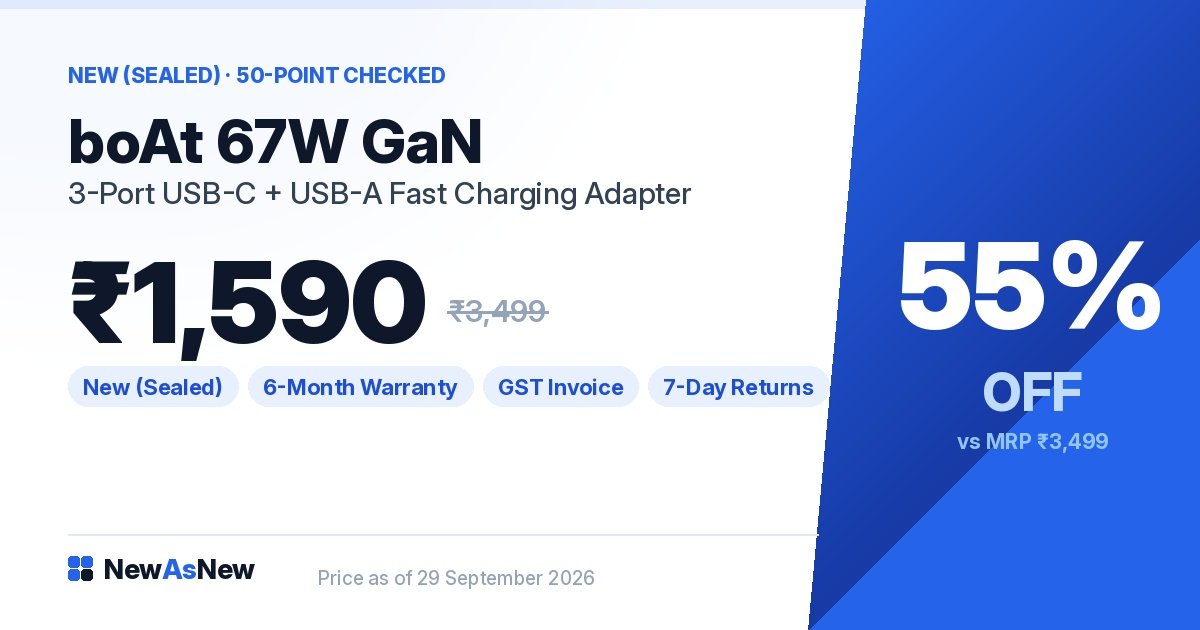
For almost everyone: boAt 67W GaN Laptop Charger, 3-port USB-C + USB-A — ₹1,590 (MRP ₹3,499, 55% off). One brick replaces your laptop adapter, your phone charger and your earbuds charger. Pair it with any 8th to 11th Gen business laptop from our under ₹35,000 list and you will not notice a difference against the original adapter.
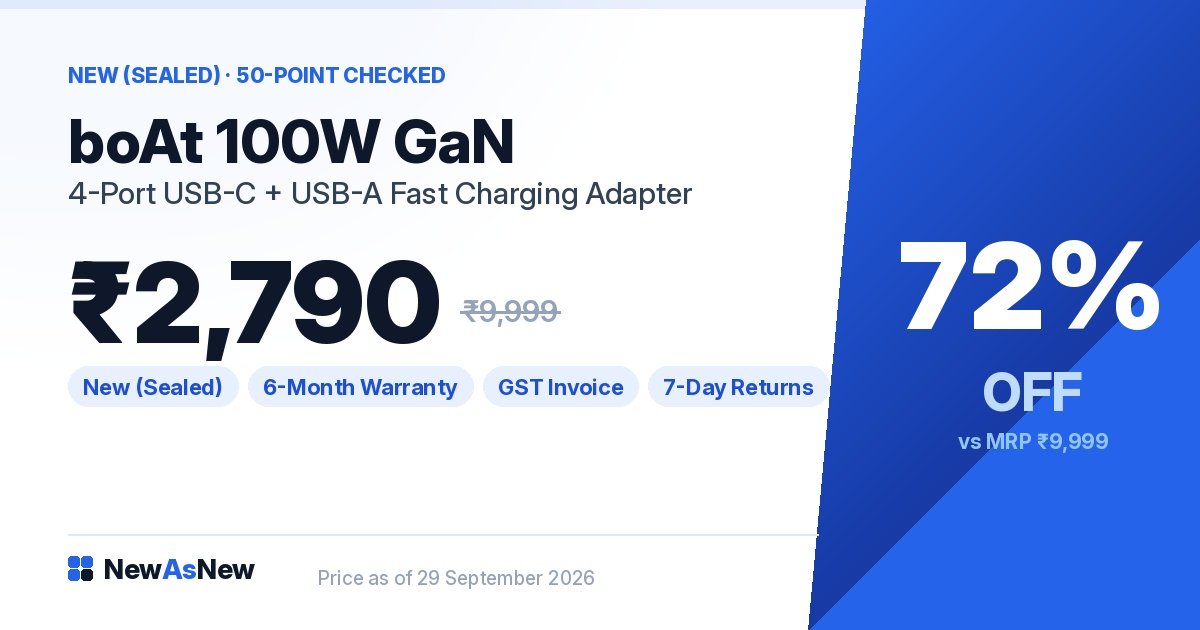
For big laptops and shared desks: boAt 100W GaN Laptop Charger, 4-port USB-C + USB-A — ₹2,790 (MRP ₹9,999, 72% off). This is the right choice if you own a 16-inch MacBook Pro, a Dell Precision-class workstation, or you are charging a laptop plus two phones plus a watch on one wall socket in a two-person home office.
If your laptop is the Apple MacBook Air 2024 M3 (Unboxed, ₹74,990), note that it charges at around 30–35W. Both of these chargers are overkill for it alone — buy the 67W one and use the spare ports, or buy nothing new at all if the supplied adapter still works.
Why does a 4-port 100W charger not give 100W to each port?
This is the single most misunderstood thing about multi-port chargers, and it is where cheap listings mislead people.
The rated wattage is a shared budget, not a per-port figure. A 100W 4-port charger has 100W in total to hand out. Plug in one laptop and it may take 100W. Plug in a laptop plus a phone and the controller re-splits the budget — typically something like 65W to the laptop and the rest to the phone.
Same logic on the 67W unit: one device can take the full 67W; three devices share it. So if you plan to charge your laptop at full speed while fast-charging a phone, that is the real argument for 100W, not the laptop alone.
The other thing that quietly limits you is the cable. A USB-C cable rated for 60W will not carry 100W no matter what the brick can supply — 100W needs a 5A e-marked cable. If a fast charge suddenly feels slow, suspect the cable before the charger. Our guide to laptop ports explains why identical-looking USB-C connectors behave so differently.
Is an unboxed GaN charger safe?
A charger is the one accessory where a bad unit can damage an expensive laptop, so this deserves a straight answer rather than reassurance.
Unboxed means the retail packaging was opened — a return, a display piece, a cancelled order. The electronics are like-new and the unit is a genuine branded product, not a look-alike. Before listing, we confirm each port negotiates its rated PD profile, check the casing for cracks or bent pins, and test under sustained load for heat. Anything that fails is rejected; we wrote about the devices we reject for exactly this reason.
What genuinely is dangerous is the ₹250 unbranded 65W brick from a roadside stall with no certification marks and no protection circuitry. That is the comparison that matters, not branded-sealed versus branded-unboxed.
Who should NOT buy a GaN charger
If your original adapter works and you never travel, buy nothing. A working 65W Dell or HP barrel or USB-C adapter charges your laptop exactly as well. GaN buys you size and port count, not speed.
If you only own a phone, 67W is wasted money. A 25–33W phone charger costs less and does the same job. Buy the GaN unit when there is a laptop in the equation.
If your laptop charges only through a proprietary barrel connector with no USB-C power input, do not buy this expecting it to work. Many older pre-2018 machines are barrel-only. Check your laptop’s own adapter label first.
If you need 130W or more for a gaming laptop with a high-TDP GPU, 100W is not enough. It will keep the machine alive at idle and charge it slowly when asleep, but it will not sustain a gaming load. Use the manufacturer’s brick.
If your real problem is a laptop battery that dies in an hour, a charger will not fix it. Read what 80% battery health actually means day to day first.
Frequently asked questions
Will a 65W or 67W charger damage a laptop that came with a 90W adapter?
No. USB-C PD negotiates the highest mutually supported profile, so the laptop simply draws less. It charges more slowly under heavy load, and some machines show a “slow charger” notice. Nothing is harmed.
Can I use a 100W GaN charger on my phone?
Yes, safely. The phone requests only what it can accept, typically 20–45W. The charger never forces power into a device.
Is GaN charging faster than a normal charger of the same wattage?
No. A 65W GaN and a 65W silicon charger deliver the same 65W. GaN is smaller and runs cooler, which means it holds full output longer in hot weather. That is the only real-world speed benefit.
Do I need a special cable for 100W?
Yes. 100W over USB-C requires a 5A e-marked cable. Most bundled cables are rated 60W (3A). Using a 60W cable caps you at 60W regardless of the charger.
Does one charger work for both a MacBook and a Dell laptop?
Yes, if both charge over USB-C PD. That is the point of the standard. Both boAt GaN units in this guide support MacBook, Dell, HP, Lenovo and Asus USB-C charging.
Are these chargers compatible with Indian wall sockets?
Yes, they are sold for the Indian market and run on 100–240V, so they also work abroad with a plug adapter.
Is 67W enough for a Dell Precision mobile workstation?
For light work and overnight charging, yes. For sustained rendering on a Dell Precision-class mobile workstation, no — use 100W or the original adapter. Our Precision 3551 vs 5550 comparison covers those power requirements.
Do unboxed chargers come with a GST invoice and warranty?
Yes. Warranty, GST invoice and 7-day returns apply to every unit, the same as any other product we list. Details are in our warranty guide.
Read next: Unboxed Mobile Accessories in India: what to buy and what to avoid, How to Extend the Life of Your Laptop by 3 Years, and Best Refurbished Laptops Under ₹35,000 in India.
Tell us your exact laptop model on WhatsApp at wa.me/917982235917 and we will confirm whether it charges over USB-C and whether 67W is enough — including when the answer is that your existing adapter is fine and you should keep your ₹1,590.
Written by the NewAsNew team, NextG Serve Pvt. Ltd., New Delhi. We load-test every charger’s ports and thermals before listing, because a bad charger is the one accessory that can take a laptop with it. Read our story.